Containers vs Virtual Machines
Decide when to isolate applications with containers and when to retain guest operating systems.
A small engineering team runs several internal services with inconsistent machine configurations. Containers simplify repeatable deployments; virtual machines remain useful for operating system isolation and legacy software. The details matter more than product labels. The challenge is to understand which parts of the system the business depends on, where the limits are and how to check the proposed approach under realistic conditions.
Separate shared infrastructure costs from the demand attributable to one application. A resource that remains allocated between traffic peaks has different cost behavior from a usage-metered execution service. To compare the two, capture operating hours, data transfer, requests and retention, including resources maintained for recovery or testing. This avoids making a decision based only on the cheapest visible unit price.
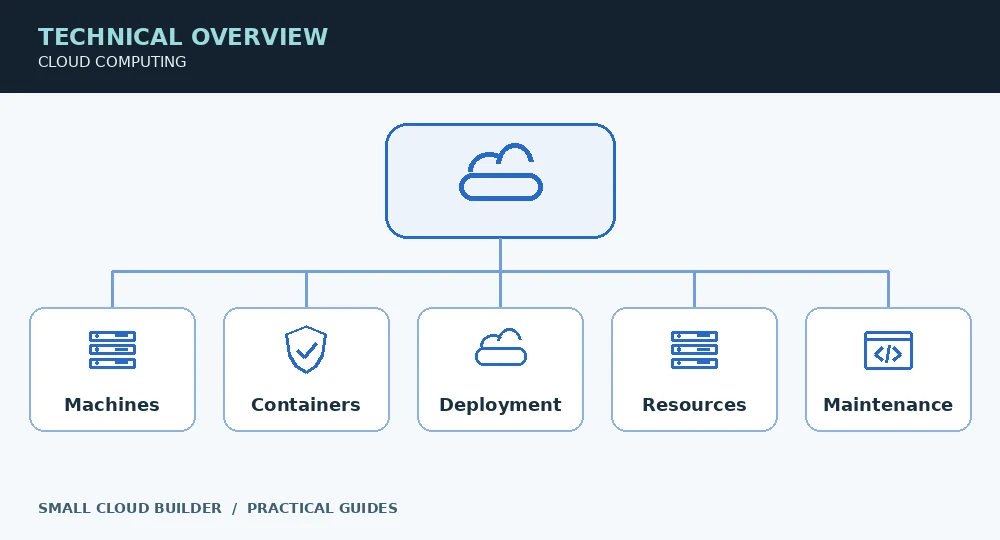
Machines
A VM emulates a computer and includes a guest OS. Isolation boundaries and OS-specific workloads can justify the extra overhead.
An implementation plan should state who owns machines once the work is complete. Compare the same service running in a VM and in a clean container image. Ask the person responsible for ongoing administration to take part in verifying the result, rather than handing them an unfamiliar setup at the end. They need to know where to find the relevant configuration, what a normal result looks like and what to do if it changes unexpectedly. Where two roles share responsibility, document the handoff. In a small organization, clear ownership and a repeatable check often prevent problems that an additional piece of software would merely make more difficult to investigate.
If the exercise requires temporary privileges or a special configuration, separate those from what the finished system actually needs. Remove temporary access when it is no longer required and document the configuration that the team expects to keep.
Containers
Packages generally share the host kernel and carry an application with its userspace dependencies. State must live outside replaceable containers.
For containers, a useful comparison is one that a colleague can independently reproduce. Confirm what happens to a newly submitted record when a container is replaced. Describe the relevant starting conditions and save the result using consistent terminology. Avoid comparing a first-time setup in one system with an already optimized setup in another unless the difference is explicitly part of the evaluation. Make note of the effort required to reach a usable state as well as the eventual result. In a business environment, the time required to repeat a configuration, recover access or diagnose a problem is a real constraint, even when it is not reflected in a product specification.
Record a failure before changing several settings at once. A clear observation made under known conditions makes troubleshooting much easier. With multiple simultaneous changes, it may become difficult to tell which action corrected the issue or whether it merely hid the symptom.
Deployment
Use versioned images, health checks and repeatable configuration; avoid manually changing a running instance.
A less obvious part of deployment is the boundary between an individual task and the system around it. Measure memory overhead while several applications start at once. Check the environment before and after the exercise, making sure unrelated records or settings have not changed. Record any dependencies required for success and distinguish permanent requirements from one-time setup work. A process that depends on a temporary test account, a particular device or an undocumented configuration may need additional work before it is ready for normal use. Leave room in the plan for that discovery rather than committing to a launch date on the strength of a first successful attempt.
When comparing choices, include the ordinary maintenance procedure as a requirement. If the team can only demonstrate a capability with extensive assistance, plan for that dependency rather than assuming the same results will be available without it.
For another perspective on the same infrastructure or workflow decision, see What Serverless Computing Actually Means. Compare the requirements it identifies with the constraints in your own environment.
Resources
Measure memory, startup time and CPU throttling with realistic demand. Container density varies by workload.
A service that writes uploads inside its own container may work throughout testing and still lose data when an image is replaced. A persistent store and explicit data ownership solve that issue without making the container into a miniature permanent server. VMs can also be replaced reliably if their enduring data and settings are externalized.
A written requirement is most valuable when it can be tested without guessing what the author meant. Inspect source image versions and rebuild from the documented dependency set. Establish a meaningful threshold for the result, whether that is correctness, usable response time, preservation of records or successful access by the intended person. Do not silently revise the threshold after seeing a disappointing outcome; instead, decide whether the business requirement itself has changed. Even a modest record of test results helps a small team make later decisions about resources without relying on a recollection of which option looked most convincing during the initial evaluation.
Treat a successful result as evidence for the particular situation that was tested. Changes to the environment can alter that behavior. A lightweight regression check after important changes makes it easier to identify when a previously dependable assumption no longer holds.
Maintenance
Patch base images and hosts, test rollback and retain access to logs outside the container filesystem.
Separate the initial selection from the evidence that supports it. Recreate one previously working release without editing a running instance. The test should be small enough that a mistake is reversible and sufficiently representative that the result can guide a decision. Record what direct observation establishes and what remains an assumption. For example, one successful run says little about unusual inputs or a much higher level of demand. Use the first observation to decide what another test ought to cover. As work moves from evaluation into routine operation, revisit the assumptions about maintenance rather than leaving them frozen in the original proposal.
There is no need for a large spreadsheet if a short set of observations is sufficient. The purpose is to make the decision traceable, distinguish known limitations from speculation and preserve enough information to investigate a reported problem later.
Putting the findings to work
Cloud infrastructure splits responsibility across multiple control layers. Physical facilities, network services, guest systems, managed runtimes, application configuration and data can all have different operators. A hosting invoice may list a resource that looks self-contained even though it depends on identity services, DNS, monitoring and recovery storage. Draw the few boundaries that matter for this workload first. In the event of a problem, they are often more useful than a diagram showing every available cloud service.
For a short review before making the decision, return to the concrete checks from the guide:
- Compare the same service running in a VM and in a clean container image.
- Confirm what happens to a newly submitted record when a container is replaced.
- Measure memory overhead while several applications start at once.
- Inspect source image versions and rebuild from the documented dependency set.
- Recreate one previously working release without editing a running instance.
Containers simplify repeatable deployments; virtual machines remain useful for operating system isolation and legacy software. Keep the key observations available to the people responsible for the system, with enough detail to revisit the decision when the workload, tools or business requirements change.
Related guide: Cloud Disaster Recovery for Small Teams. Turn recovery objectives, backups and rehearsals into a workable continuity plan.
Related guide: REST APIs: Designing Predictable Interfaces. Create stable resource endpoints and useful error responses for business applications.