REST APIs: Designing Predictable Interfaces
Create stable resource endpoints and useful error responses for business applications.
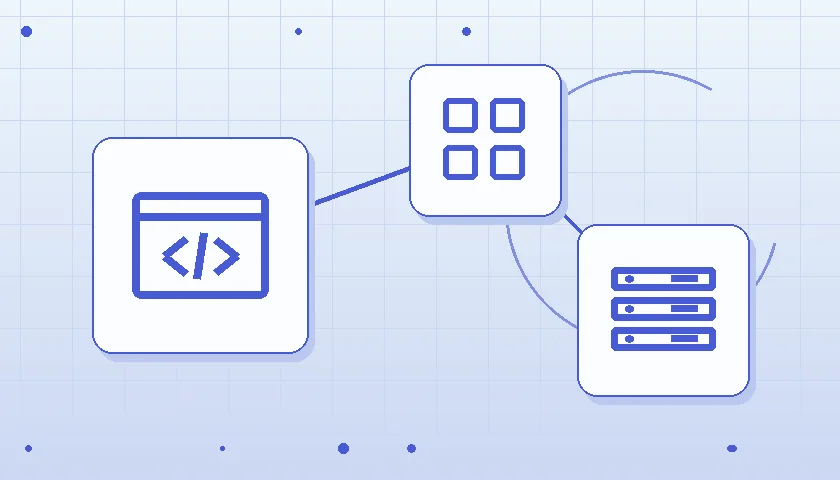
An inventory service connects a warehouse dashboard to a mobile client and a reporting application. Predictability improves integration reliability more than clever endpoint naming. The details matter more than product labels. The challenge is to understand which parts of the system the business depends on, where the limits are and how to check the proposed approach under realistic conditions.
Accessibility and maintainability intersect in small details. Native elements provide well-understood behavior for navigation and controls; meaningful labels also improve automated checks and make code easier to review. A custom interface may be appropriate for complex interaction, but it should have explicit keyboard and focus behavior and remain understandable at larger text sizes.
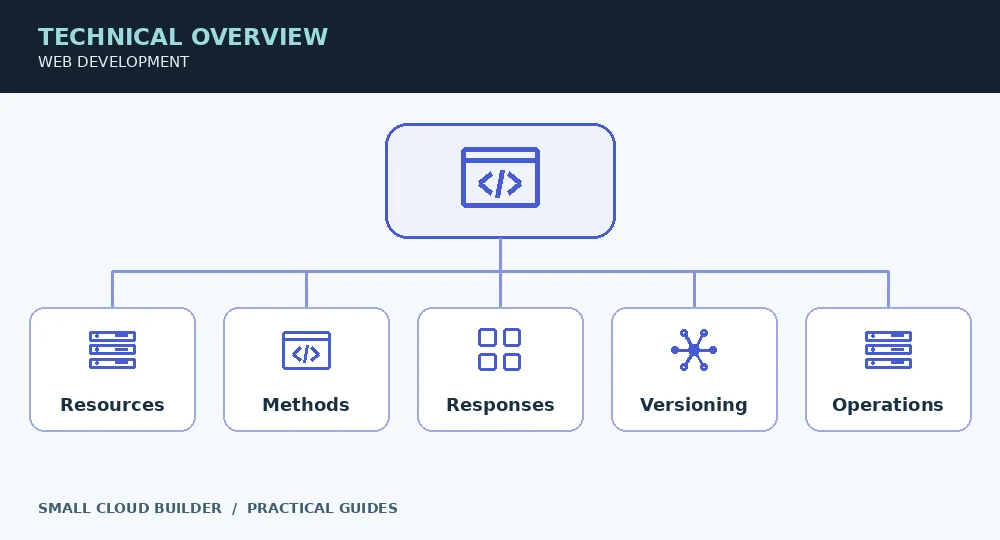
Resources
Use meaningful nouns and consistent identifiers; separate collection operations from individual resource operations.
Keep a distinction between normal operation and an unusual condition. Test creation of an ordinary inventory record and its subsequent retrieval. Observe the ordinary result first, then use a controlled test environment to examine a reasonable edge case. The purpose is to understand the limitations, not to create a problem for live users. If the result cannot be reproduced, inspect the starting state and any dependencies before drawing a conclusion. The practical understanding of resources should include both what happens when everything is working and how an operator can tell when the system has stopped meeting its intended requirement.
The people who carry out routine work may notice different problems from the person who set up the system. Include their observations, particularly repeated manual steps or confusing states. These details can dominate the long-term effort even when the underlying technology performs well.
Methods
Apply HTTP semantics to reads and writes, and design retries around idempotency where possible.
For methods, a useful comparison is one that a colleague can independently reproduce. Retry an approved test update and check whether it duplicates a change. Describe the relevant starting conditions and save the result using consistent terminology. Avoid comparing a first-time setup in one system with an already optimized setup in another unless the difference is explicitly part of the evaluation. Make note of the effort required to reach a usable state as well as the eventual result. In a business environment, the time required to repeat a configuration, recover access or diagnose a problem is a real constraint, even when it is not reflected in a product specification.
When comparing choices, include the ordinary maintenance procedure as a requirement. If the team can only demonstrate a capability with extensive assistance, plan for that dependency rather than assuming the same results will be available without it.
Responses
Return consistent data shapes, status codes and machine-readable validation errors.
The distinction becomes easier to see with an explicit acceptance test. Compare a validation error with a missing-record response. Decide in advance which outcome would be a success. A measurement that looks impressive on its own may be irrelevant if the original task remains difficult or unreliable. Track failures alongside the successful result; a capability that works only when a particular person is present may be less useful than a slightly slower process anyone on the team can follow. The final choice should reflect the actual working requirements around responses, including what the team can reasonably support after the initial installation.
Before extending the setup, identify the part that is hardest to reverse. A limited pilot lets the team address problems in that part without affecting unrelated work. Keep the dependable existing process available until the replacement has passed the checks that matter.
For another perspective on the same infrastructure or workflow decision, see Web Accessibility Checklist for Everyday Projects. Compare the requirements it identifies with the constraints in your own environment.
Versioning
Avoid breaking existing clients; document additive fields, deprecations and migration timelines.
An inventory client that retries an update after a connection interruption needs to know whether its previous request succeeded. The server should establish consistent mutation semantics and return useful identifiers and errors. Clients can then reconcile outcomes without blindly creating another record or treating a timeout as proof of failure.
The concern is not whether all possible features are enabled. It is whether a specific need is satisfied consistently. Add an optional field and verify an older client can still parse the response. If possible, repeat it after a normal restart, reconnection or change of user session appropriate to the system. Notice which behavior is preserved automatically and which must be configured again. This is a useful way to establish how versioning will affect maintenance, particularly when the same setup has to be reproduced on another device or in another environment. A useful test produces enough detail to explain the result and identify the next action.
The cost of an incorrect assumption increases as more people or records depend on it. Resolve uncertainty while the configuration is still small. A precise limitation is more useful than a general assurance that the system should probably work in a larger environment.
Operations
Use scoped authorization, bounded pagination and request logging that avoids exposing sensitive data.
Separate the initial selection from the evidence that supports it. Check that read-only test clients cannot change records outside their expected scope. The test should be small enough that a mistake is reversible and sufficiently representative that the result can guide a decision. Record what direct observation establishes and what remains an assumption. For example, one successful run says little about unusual inputs or a much higher level of demand. Use the first observation to decide what another test ought to cover. As work moves from evaluation into routine operation, revisit the assumptions about operations rather than leaving them frozen in the original proposal.
It is worth writing down any restriction discovered during the check, including one that does not affect the present workload. A future maintainer may not have the same assumptions about data size, supported devices or how often the procedure needs to run.
Putting the findings to work
The browser receives a document, associated resources and, depending on the application, executable client-side code. Server behavior and client behavior should be checked independently. A site can return valid HTML but be hard to navigate, or have an attractive interface that fails when the network is interrupted. Testing the actual interactions people need is more revealing than treating a visual match as sufficient.
For a short review before making the decision, return to the concrete checks from the guide:
- Test creation of an ordinary inventory record and its subsequent retrieval.
- Retry an approved test update and check whether it duplicates a change.
- Compare a validation error with a missing-record response.
- Add an optional field and verify an older client can still parse the response.
- Check that read-only test clients cannot change records outside their expected scope.
Predictability improves integration reliability more than clever endpoint naming. Keep the key observations available to the people responsible for the system, with enough detail to revisit the decision when the workload, tools or business requirements change.
Related guide: Database Design for Small Web Applications. Design records, constraints and indexes around real application workflows.
Related guide: How Workflow Automation Tools Connect SaaS Applications. Design dependable integration flows with clear events, data mappings and error handling.