Recognizing and Reporting Phishing Attempts
Help staff respond consistently to suspicious messages and unexpected requests.
A service firm regularly receives invoices, document invitations and account notifications from many organizations. A reporting culture is more effective when staff can ask for help without fear of blame. The details matter more than product labels. The challenge is to understand which parts of the system the business depends on, where the limits are and how to check the proposed approach under realistic conditions.
Routine maintenance provides a foundation for more complicated security work. Keep software supported, remove unnecessary access, preserve appropriate logs and test recovery procedures with authorized tools and harmless sample data. Record responsibility for following up on notices and problems. Do not assume that a product will investigate every unusual event or make decisions on behalf of the organization.
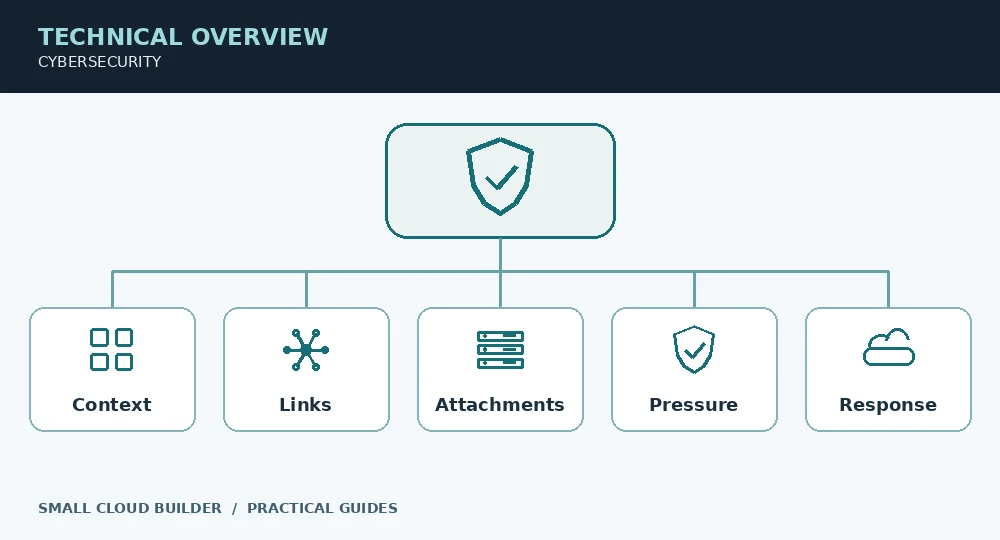
Context
Verify unexpected payment, credential or access requests through a trusted separate channel.
In the planning stage, avoid treating context as a feature checkbox. Review a benign simulated invoice request with a changed payment destination. This gives the team a real starting point for comparison. Note how much setup and administrative effort the task requires, and whether the result can be repeated without relying on special access unavailable to ordinary users. If the proposed system changes the way a person completes their work, try the new process from that role's perspective as well. The aim is to establish what is possible with the configuration you will actually operate, rather than what is possible in an ideal demonstration.
Before extending the setup, identify the part that is hardest to reverse. A limited pilot lets the team address problems in that part without affecting unrelated work. Keep the dependable existing process available until the replacement has passed the checks that matter.
Links
Inspect sender identity and destination carefully; navigate through a familiar saved address for important account access.
A written requirement is most valuable when it can be tested without guessing what the author meant. Practice contacting a known colleague through an independent channel. Establish a meaningful threshold for the result, whether that is correctness, usable response time, preservation of records or successful access by the intended person. Do not silently revise the threshold after seeing a disappointing outcome; instead, decide whether the business requirement itself has changed. Even a modest record of test results helps a small team make later decisions about links without relying on a recollection of which option looked most convincing during the initial evaluation.
There is no need for a large spreadsheet if a short set of observations is sufficient. The purpose is to make the decision traceable, distinguish known limitations from speculation and preserve enough information to investigate a reported problem later.
Attachments
Treat unexpected attachments as potentially unsafe and report them through approved internal processes.
An email appearing to come from a supplier requests a different bank account for the next payment. Instead of replying to the same message, staff can use the contact information already recorded through a trusted channel. Independent confirmation is especially important when a change would move money or disclose sensitive information.
For attachments, a useful comparison is one that a colleague can independently reproduce. Check how staff report an unexpected attachment without opening it. Describe the relevant starting conditions and save the result using consistent terminology. Avoid comparing a first-time setup in one system with an already optimized setup in another unless the difference is explicitly part of the evaluation. Make note of the effort required to reach a usable state as well as the eventual result. In a business environment, the time required to repeat a configuration, recover access or diagnose a problem is a real constraint, even when it is not reflected in a product specification.
If the exercise requires temporary privileges or a special configuration, separate those from what the finished system actually needs. Remove temporary access when it is no longer required and document the configuration that the team expects to keep.
For another perspective on the same infrastructure or workflow decision, see Website Security Maintenance Checklist. Compare the requirements it identifies with the constraints in your own environment.
Pressure
Pause when a message creates urgency, secrecy or a sudden change in routine; confirm the request with a known person.
An implementation plan should state who owns pressure once the work is complete. Ask a reviewer to identify urgent or unusual requests in example messages. Ask the person responsible for ongoing administration to take part in verifying the result, rather than handing them an unfamiliar setup at the end. They need to know where to find the relevant configuration, what a normal result looks like and what to do if it changes unexpectedly. Where two roles share responsibility, document the handoff. In a small organization, clear ownership and a repeatable check often prevent problems that an additional piece of software would merely make more difficult to investigate.
When comparing choices, include the ordinary maintenance procedure as a requirement. If the team can only demonstrate a capability with extensive assistance, plan for that dependency rather than assuming the same results will be available without it.
Response
If a mistake occurs, report it promptly, preserve relevant details and follow the organization's incident procedure.
The concern is not whether all possible features are enabled. It is whether a specific need is satisfied consistently. Walk through reporting after a mistaken sign-in without blaming the individual. If possible, repeat it after a normal restart, reconnection or change of user session appropriate to the system. Notice which behavior is preserved automatically and which must be configured again. This is a useful way to establish how response will affect maintenance, particularly when the same setup has to be reproduced on another device or in another environment. A useful test produces enough detail to explain the result and identify the next action.
Record a failure before changing several settings at once. A clear observation made under known conditions makes troubleshooting much easier. With multiple simultaneous changes, it may become difficult to tell which action corrected the issue or whether it merely hid the symptom.
Putting the findings to work
Review controls from both the ordinary user's and the administrator's perspectives. A recovery path that is impossible to use in a real incident may encourage unsafe workarounds. Excessive administrator permissions can also turn a routine mistake into a serious problem. The aim is a practical process that enables legitimate work while keeping sensitive actions subject to appropriate control.
For a short review before making the decision, return to the concrete checks from the guide:
- Review a benign simulated invoice request with a changed payment destination.
- Practice contacting a known colleague through an independent channel.
- Check how staff report an unexpected attachment without opening it.
- Ask a reviewer to identify urgent or unusual requests in example messages.
- Walk through reporting after a mistaken sign-in without blaming the individual.
A reporting culture is more effective when staff can ask for help without fear of blame. Keep the key observations available to the people responsible for the system, with enough detail to revisit the decision when the workload, tools or business requirements change.
Related guide: Secure Software Updates for Small Teams. Maintain systems with planned, verified updates and realistic rollback procedures.
Related guide: Web Performance Basics for Developers. Reduce unnecessary requests, transfer size and main-thread work.