Secure Software Updates for Small Teams
Maintain systems with planned, verified updates and realistic rollback procedures.
A small team maintains laptops, a public website and several internal applications. A sustainable update process combines urgency for security fixes with predictable service recovery. This is a useful situation in which to make the technical requirements explicit before changing tools, because the choices affect day-to-day work as well as the initial setup.
Routine maintenance provides a foundation for more complicated security work. Keep software supported, remove unnecessary access, preserve appropriate logs and test recovery procedures with authorized tools and harmless sample data. Record responsibility for following up on notices and problems. Do not assume that a product will investigate every unusual event or make decisions on behalf of the organization.
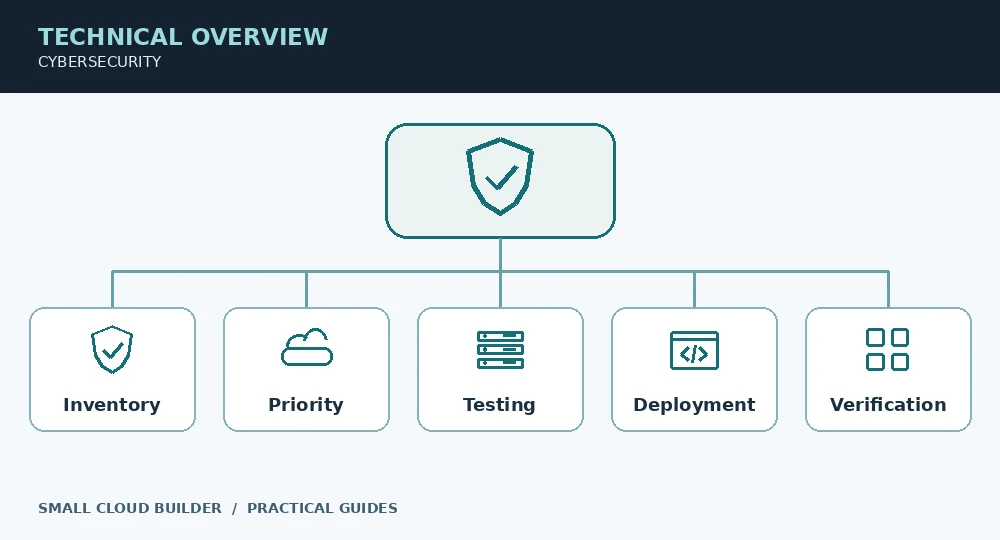
Inventory
Track supported versions and owners; identify software whose support has ended.
A less obvious part of inventory is the boundary between an individual task and the system around it. Record version support and maintenance windows for representative software. Check the environment before and after the exercise, making sure unrelated records or settings have not changed. Record any dependencies required for success and distinguish permanent requirements from one-time setup work. A process that depends on a temporary test account, a particular device or an undocumented configuration may need additional work before it is ready for normal use. Leave room in the plan for that discovery rather than committing to a launch date on the strength of a first successful attempt.
Treat a successful result as evidence for the particular situation that was tested. Changes to the environment can alter that behavior. A lightweight regression check after important changes makes it easier to identify when a previously dependable assumption no longer holds.
Priority
Evaluate update urgency based on security notices, exposure and business consequences.
Separate the initial selection from the evidence that supports it. Check compatibility of a security update in a test environment. The test should be small enough that a mistake is reversible and sufficiently representative that the result can guide a decision. Record what direct observation establishes and what remains an assumption. For example, one successful run says little about unusual inputs or a much higher level of demand. Use the first observation to decide what another test ought to cover. As work moves from evaluation into routine operation, revisit the assumptions about priority rather than leaving them frozen in the original proposal.
Before extending the setup, identify the part that is hardest to reverse. A limited pilot lets the team address problems in that part without affecting unrelated work. Keep the dependable existing process available until the replacement has passed the checks that matter.
Testing
Use representative environments and verify critical workflows before broader rollout where practical.
A small update to a common dependency can affect several business workflows even when installation reports success. A staged test should cover representative operations, not only startup. Record which corrected versions are expected and retain an appropriate recovery procedure, especially if a release also changes stored data formats.
Start with what is already observable. Verify the backup and documented rollback procedure before a high-impact release. Write down the result alongside the original expectation. A useful comparison keeps the workload and the surrounding conditions stable; differences in sample size, connection quality or a change made elsewhere in the system can otherwise distort the conclusion. The value of this check is not that it proves the entire design. It exposes whether the assumption about testing holds under a recognizable working condition, and whether somebody has enough information to repeat the observation later without reconstructing the whole experiment from memory.
If the exercise requires temporary privileges or a special configuration, separate those from what the finished system actually needs. Remove temporary access when it is no longer required and document the configuration that the team expects to keep.
For another perspective on the same infrastructure or workflow decision, see Data Encryption at Rest and in Transit. Compare the requirements it identifies with the constraints in your own environment.
Deployment
Schedule and communicate maintenance, take appropriate recovery copies and monitor results.
There is a straightforward way to turn deployment into a decision instead of an argument about features. Monitor important workflows after a controlled staged deployment. Keep the result in a short working note: the starting conditions, what was changed, what actually happened and the outcome that would be acceptable in production. If the result is different from the expected behavior, isolate the cause before adding another component. This is particularly important for a small team, where the person implementing a solution is often also the person who will have to maintain it and explain a failure to colleagues.
The people who carry out routine work may notice different problems from the person who set up the system. Include their observations, particularly repeated manual steps or confusing states. These details can dominate the long-term effort even when the underlying technology performs well.
Verification
Record applied versions and investigate failures rather than assuming the update completed everywhere.
The distinction becomes easier to see with an explicit acceptance test. Confirm the intended version actually appears on each updated test device. Decide in advance which outcome would be a success. A measurement that looks impressive on its own may be irrelevant if the original task remains difficult or unreliable. Track failures alongside the successful result; a capability that works only when a particular person is present may be less useful than a slightly slower process anyone on the team can follow. The final choice should reflect the actual working requirements around verification, including what the team can reasonably support after the initial installation.
The cost of an incorrect assumption increases as more people or records depend on it. Resolve uncertainty while the configuration is still small. A precise limitation is more useful than a general assurance that the system should probably work in a larger environment.
A security control addresses a particular risk, not every possible problem. Account authentication limits some unauthorized access; restricted permissions limit what an authenticated identity can do; independent recovery copies help after damaging changes. These controls complement one another. A small organization benefits from identifying sensitive systems and assigning ownership before introducing additional complexity.
Putting the findings to work
Review controls from both the ordinary user's and the administrator's perspectives. A recovery path that is impossible to use in a real incident may encourage unsafe workarounds. Excessive administrator permissions can also turn a routine mistake into a serious problem. The aim is a practical process that enables legitimate work while keeping sensitive actions subject to appropriate control.
For a short review before making the decision, return to the concrete checks from the guide:
- Record version support and maintenance windows for representative software.
- Check compatibility of a security update in a test environment.
- Verify the backup and documented rollback procedure before a high-impact release.
- Monitor important workflows after a controlled staged deployment.
- Confirm the intended version actually appears on each updated test device.
A sustainable update process combines urgency for security fixes with predictable service recovery. Keep the key observations available to the people responsible for the system, with enough detail to revisit the decision when the workload, tools or business requirements change.
Related guide: Protecting Cloud Accounts and Administrative Access. Create a manageable security baseline for cloud console and business SaaS accounts.
Related guide: SaaS Subscription Management for Small Teams. Track renewals, inactive seats and ownership across recurring software purchases.