Web Performance Basics for Developers
Reduce unnecessary requests, transfer size and main-thread work.
A marketing site became noticeably slower after introducing large visual banners and scripts. Speed is a collection of user experiences, not one network or laboratory score. Rather than starting with a long feature list, begin with the task itself. This makes it possible to compare alternatives against a real requirement and identify responsibilities before committing to a design.
The browser receives a document, associated resources and, depending on the application, executable client-side code. Server behavior and client behavior should be checked independently. A site can return valid HTML but be hard to navigate, or have an attractive interface that fails when the network is interrupted. Testing the actual interactions people need is more revealing than treating a visual match as sufficient.
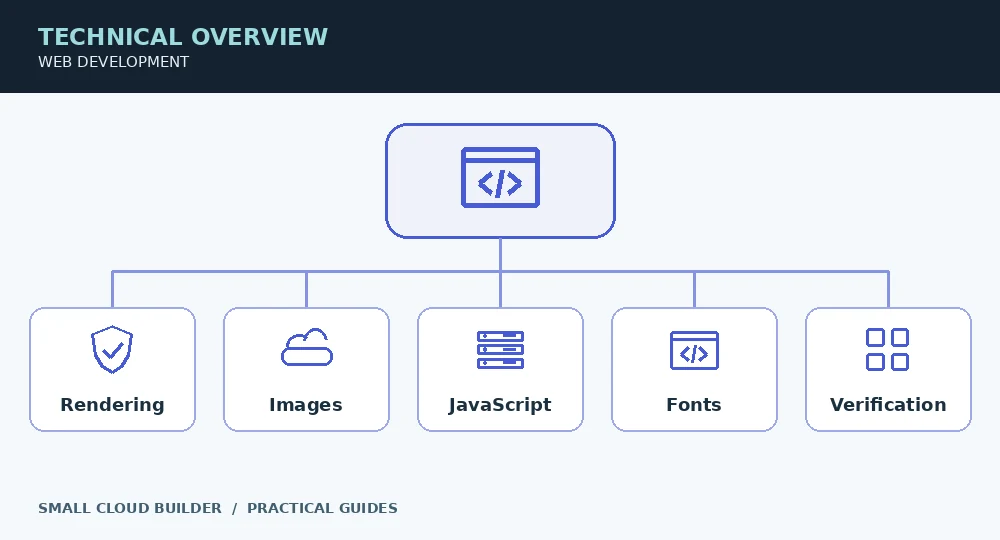
Rendering
Prioritize essential HTML, styles and visible content; defer nonessential scripts where appropriate.
The distinction becomes easier to see with an explicit acceptance test. Compare the transferred size of two equivalent hero image resolutions. Decide in advance which outcome would be a success. A measurement that looks impressive on its own may be irrelevant if the original task remains difficult or unreliable. Track failures alongside the successful result; a capability that works only when a particular person is present may be less useful than a slightly slower process anyone on the team can follow. The final choice should reflect the actual working requirements around rendering, including what the team can reasonably support after the initial installation.
It is worth writing down any restriction discovered during the check, including one that does not affect the present workload. A future maintainer may not have the same assumptions about data size, supported devices or how often the procedure needs to run.
Images
Serve correctly sized compressed images, provide dimensions and lazy-load offscreen media.
An image with explicit width and height gives the browser an aspect ratio before the file downloads. Even when the image eventually renders perfectly, omitting those dimensions can cause text to shift unexpectedly. Measure layout movement as well as transfer time, especially for first-time visitors.
For images, a useful comparison is one that a colleague can independently reproduce. Measure the effect of a script on the first usable interaction, not download alone. Describe the relevant starting conditions and save the result using consistent terminology. Avoid comparing a first-time setup in one system with an already optimized setup in another unless the difference is explicitly part of the evaluation. Make note of the effort required to reach a usable state as well as the eventual result. In a business environment, the time required to repeat a configuration, recover access or diagnose a problem is a real constraint, even when it is not reflected in a product specification.
Before extending the setup, identify the part that is hardest to reverse. A limited pilot lets the team address problems in that part without affecting unrelated work. Keep the dependable existing process available until the replacement has passed the checks that matter.
JavaScript
Profile execution effort and remove unused dependencies; downloading quickly does not guarantee a responsive interface.
Start with what is already observable. Inspect font loading and layout movement on the first visit. Write down the result alongside the original expectation. A useful comparison keeps the workload and the surrounding conditions stable; differences in sample size, connection quality or a change made elsewhere in the system can otherwise distort the conclusion. The value of this check is not that it proves the entire design. It exposes whether the assumption about javascript holds under a recognizable working condition, and whether somebody has enough information to repeat the observation later without reconstructing the whole experiment from memory.
If the exercise requires temporary privileges or a special configuration, separate those from what the finished system actually needs. Remove temporary access when it is no longer required and document the configuration that the team expects to keep.
For another perspective on the same infrastructure or workflow decision, see Choosing a Frontend Framework. Compare the requirements it identifies with the constraints in your own environment.
Fonts
Limit font families and weights, consider system fonts and use an intentional display strategy.
Keep a distinction between normal operation and an unusual condition. Check whether below-fold images load only as needed. Observe the ordinary result first, then use a controlled test environment to examine a reasonable edge case. The purpose is to understand the limitations, not to create a problem for live users. If the result cannot be reproduced, inspect the starting state and any dependencies before drawing a conclusion. The practical understanding of fonts should include both what happens when everything is working and how an operator can tell when the system has stopped meeting its intended requirement.
Avoid building the rest of the project around an undocumented assumption. The useful output here is a small record of the actual behavior and any constraints that may affect the next decision. If another person cannot interpret that record, add the missing context while it is still easy to recover.
Verification
Use field metrics where possible and compare actual interactions on typical hardware before declaring success.
In the planning stage, avoid treating verification as a feature checkbox. Repeat performance checks on an ordinary mobile device before accepting the release. This gives the team a real starting point for comparison. Note how much setup and administrative effort the task requires, and whether the result can be repeated without relying on special access unavailable to ordinary users. If the proposed system changes the way a person completes their work, try the new process from that role's perspective as well. The aim is to establish what is possible with the configuration you will actually operate, rather than what is possible in an ideal demonstration.
There is no need for a large spreadsheet if a short set of observations is sufficient. The purpose is to make the decision traceable, distinguish known limitations from speculation and preserve enough information to investigate a reported problem later.
Putting the findings to work
A useful development release has a reproducible build and an environment in which changes can be checked before normal users receive them. Keep versioned source material and expected test cases, but avoid putting private configuration or data exports in public artifacts. When behavior changes, compare the deployed version with the source version and the relevant environment settings.
For a short review before making the decision, return to the concrete checks from the guide:
- Compare the transferred size of two equivalent hero image resolutions.
- Measure the effect of a script on the first usable interaction, not download alone.
- Inspect font loading and layout movement on the first visit.
- Check whether below-fold images load only as needed.
- Repeat performance checks on an ordinary mobile device before accepting the release.
Speed is a collection of user experiences, not one network or laboratory score. Keep the key observations available to the people responsible for the system, with enough detail to revisit the decision when the workload, tools or business requirements change.
Related guide: Web Accessibility Checklist for Everyday Projects. Make navigation, content and controls usable for more people.
Related guide: How Domain Names and DNS Work. Follow a domain from registration and authoritative DNS to the browser.