Home Media Servers: Formats, Clients and Storage
Organize personal media playback across devices without assuming every file can play everywhere.
A household wants films and recordings available on a television, laptop and mobile device over its own network. A media server is an access and playback system, not merely a large disk filled with video. This is a useful situation in which to make the technical requirements explicit before changing tools, because the choices affect day-to-day work as well as the initial setup.
Storage devices and network services have different maintenance lifecycles. Disks, controllers and local applications may continue functioning after a vendor stops supporting a remote service. Avoid relying on unsupported remote access for current business operations, and keep an independently accessible copy of irreplaceable material. A migration plan should preserve the files even if the previous application cannot be installed again.
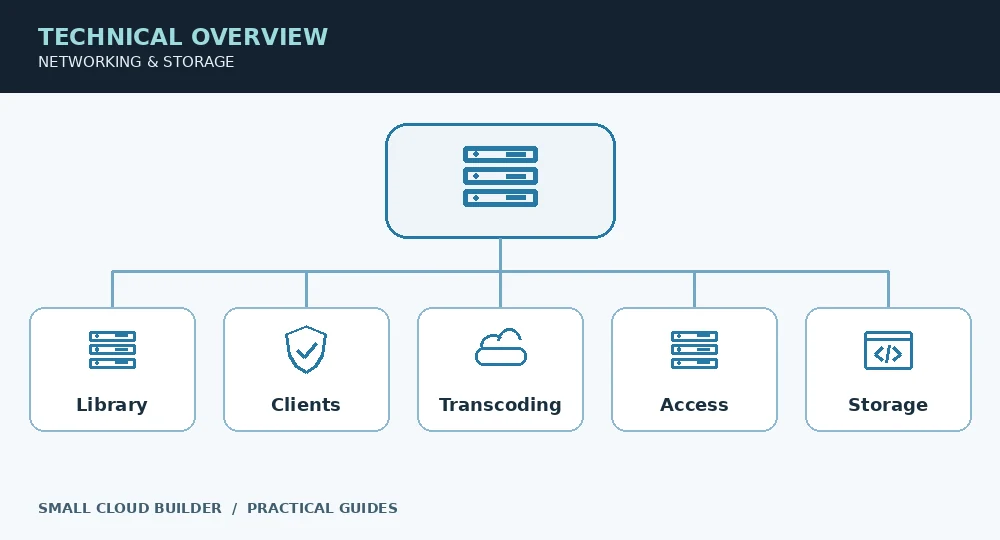
Library
Keep organized filenames and metadata, and choose software that can index files without silently modifying source content.
A written requirement is most valuable when it can be tested without guessing what the author meant. Choose sample media with different video codecs and subtitle formats. Establish a meaningful threshold for the result, whether that is correctness, usable response time, preservation of records or successful access by the intended person. Do not silently revise the threshold after seeing a disappointing outcome; instead, decide whether the business requirement itself has changed. Even a modest record of test results helps a small team make later decisions about library without relying on a recollection of which option looked most convincing during the initial evaluation.
If the exercise requires temporary privileges or a special configuration, separate those from what the finished system actually needs. Remove temporary access when it is no longer required and document the configuration that the team expects to keep.
Clients
Check expected codecs, container formats, audio support and subtitle handling on each representative device.
A demonstration can be misleading when it uses a perfectly prepared environment. The useful question is what happens during routine work. Compare direct playback with a file requiring conversion. Use an ordinary sample, with enough variation to reveal common problems but without requiring live customer records. Where behavior differs between a new environment and the existing one, establish which difference matters to the business before making a choice. Keep a record of errors and unexpected constraints as well as successes. An inconclusive test is a reason to refine the experiment, not a reason to assume that clients has been solved.
The people who carry out routine work may notice different problems from the person who set up the system. Include their observations, particularly repeated manual steps or confusing states. These details can dominate the long-term effort even when the underlying technology performs well.
Transcoding
A server may need to convert video or audio for a particular client, requiring compute and suitable software support.
A less obvious part of transcoding is the boundary between an individual task and the system around it. Check whether media indexing changes the source collection or only its metadata. Check the environment before and after the exercise, making sure unrelated records or settings have not changed. Record any dependencies required for success and distinguish permanent requirements from one-time setup work. A process that depends on a temporary test account, a particular device or an undocumented configuration may need additional work before it is ready for normal use. Leave room in the plan for that discovery rather than committing to a launch date on the strength of a first successful attempt.
It is worth writing down any restriction discovered during the check, including one that does not affect the present workload. A future maintainer may not have the same assumptions about data size, supported devices or how often the procedure needs to run.
For another perspective on the same infrastructure or workflow decision, see Choosing Backup Storage for a Small Business. Compare the requirements it identifies with the constraints in your own environment.
Access
Use maintained authentication and secure remote access arrangements; avoid publishing unsupported interfaces.
If a television directly supports the video's codec but not its subtitle format, the server may still need to process the media. The capacity required depends on actual clients and files. Keep original recordings separate from generated thumbnails or metadata so a damaged library index does not become loss of the source material.
There is a straightforward way to turn access into a decision instead of an argument about features. Verify approved remote access through maintained software and permissions. Keep the result in a short working note: the starting conditions, what was changed, what actually happened and the outcome that would be acceptable in production. If the result is different from the expected behavior, isolate the cause before adding another component. This is particularly important for a small team, where the person implementing a solution is often also the person who will have to maintain it and explain a failure to colleagues.
When comparing choices, include the ordinary maintenance procedure as a requirement. If the team can only demonstrate a capability with extensive assistance, plan for that dependency rather than assuming the same results will be available without it.
Storage
Separate originals from generated metadata and maintain tested backups of irreplaceable recordings.
An implementation plan should state who owns storage once the work is complete. Restore one irreplaceable original recording from backup. Ask the person responsible for ongoing administration to take part in verifying the result, rather than handing them an unfamiliar setup at the end. They need to know where to find the relevant configuration, what a normal result looks like and what to do if it changes unexpectedly. Where two roles share responsibility, document the handoff. In a small organization, clear ownership and a repeatable check often prevent problems that an additional piece of software would merely make more difficult to investigate.
The cost of an incorrect assumption increases as more people or records depend on it. Resolve uncertainty while the configuration is still small. A precise limitation is more useful than a general assurance that the system should probably work in a larger environment.
Putting the findings to work
Network speed, application throughput and storage performance measure different things. A nominal link speed is an upper bound for that part of the connection, not a guarantee that the source can supply or the destination can write data at the same rate. Protocol overhead, device processing, concurrent activity and the access pattern all influence the observed result. Measure the complete transfer for the files and devices that matter.
For a short review before making the decision, return to the concrete checks from the guide:
- Choose sample media with different video codecs and subtitle formats.
- Compare direct playback with a file requiring conversion.
- Check whether media indexing changes the source collection or only its metadata.
- Verify approved remote access through maintained software and permissions.
- Restore one irreplaceable original recording from backup.
A media server is an access and playback system, not merely a large disk filled with video. Keep the key observations available to the people responsible for the system, with enough detail to revisit the decision when the workload, tools or business requirements change.
Related guide: NAS vs Cloud Storage: Choosing the Right Place for Files. Compare local network storage, hosted file access and combined approaches.
Related guide: Orb Live and the Early Days of Remote Media Streaming. A retrospective on accessing a home media collection from mobile devices.