Designing a Useful Technical Documentation Site
Organize guides, references and troubleshooting material around reader goals.
A software company has long release notes and installation instructions scattered across files. Documentation should help a reader finish a task and understand why it works. Rather than starting with a long feature list, begin with the task itself. This makes it possible to compare alternatives against a real requirement and identify responsibilities before committing to a design.
Accessibility and maintainability intersect in small details. Native elements provide well-understood behavior for navigation and controls; meaningful labels also improve automated checks and make code easier to review. A custom interface may be appropriate for complex interaction, but it should have explicit keyboard and focus behavior and remain understandable at larger text sizes.
Architecture
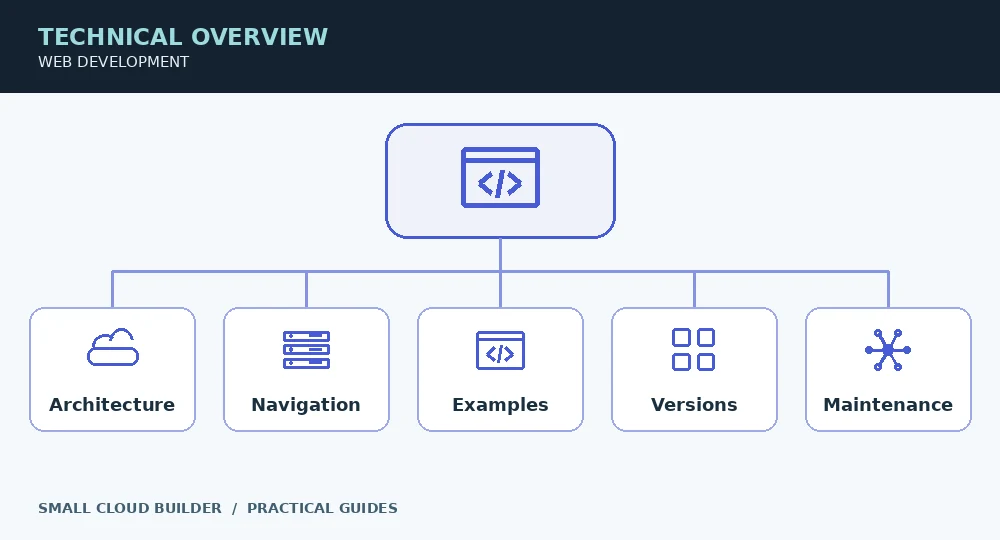
Separate conceptual introductions, task-based guides and precise reference material while connecting related topics.
There is a straightforward way to turn architecture into a decision instead of an argument about features. Ask a new reader to find a guide beginning at the category hub. Keep the result in a short working note: the starting conditions, what was changed, what actually happened and the outcome that would be acceptable in production. If the result is different from the expected behavior, isolate the cause before adding another component. This is particularly important for a small team, where the person implementing a solution is often also the person who will have to maintain it and explain a failure to colleagues.
Record a failure before changing several settings at once. A clear observation made under known conditions makes troubleshooting much easier. With multiple simultaneous changes, it may become difficult to tell which action corrected the issue or whether it merely hid the symptom.
Navigation
Provide category hubs, breadcrumbs and descriptive internal links that work without scripts.
In the planning stage, avoid treating navigation as a feature checkbox. Compare a conceptual explanation with reference documentation for the same feature. This gives the team a real starting point for comparison. Note how much setup and administrative effort the task requires, and whether the result can be repeated without relying on special access unavailable to ordinary users. If the proposed system changes the way a person completes their work, try the new process from that role's perspective as well. The aim is to establish what is possible with the configuration you will actually operate, rather than what is possible in an ideal demonstration.
There is no need for a large spreadsheet if a short set of observations is sufficient. The purpose is to make the decision traceable, distinguish known limitations from speculation and preserve enough information to investigate a reported problem later.
Examples
Make prerequisites clear and verify instructions against a documented environment rather than relying on screenshots alone.
For examples, a useful comparison is one that a colleague can independently reproduce. Run a documented command or procedure in the stated test environment. Describe the relevant starting conditions and save the result using consistent terminology. Avoid comparing a first-time setup in one system with an already optimized setup in another unless the difference is explicitly part of the evaluation. Make note of the effort required to reach a usable state as well as the eventual result. In a business environment, the time required to repeat a configuration, recover access or diagnose a problem is a real constraint, even when it is not reflected in a product specification.
If the exercise requires temporary privileges or a special configuration, separate those from what the finished system actually needs. Remove temporary access when it is no longer required and document the configuration that the team expects to keep.
For another perspective on the same infrastructure or workflow decision, see Static Sites vs Dynamic Websites. Compare the requirements it identifies with the constraints in your own environment.
Versions
Label instructions for different releases honestly and keep current and archived behavior distinct.
A guide about creating a database account should explain prerequisites, the action and a way to confirm the result. A separate reference page can enumerate supported permission types. Linking them allows an experienced reader to look up a specific detail without forcing a beginner to navigate a long alphabetical list first.
A written requirement is most valuable when it can be tested without guessing what the author meant. Identify instructions applying only to an older release and label them clearly. Establish a meaningful threshold for the result, whether that is correctness, usable response time, preservation of records or successful access by the intended person. Do not silently revise the threshold after seeing a disappointing outcome; instead, decide whether the business requirement itself has changed. Even a modest record of test results helps a small team make later decisions about versions without relying on a recollection of which option looked most convincing during the initial evaluation.
Treat a successful result as evidence for the particular situation that was tested. Changes to the environment can alter that behavior. A lightweight regression check after important changes makes it easier to identify when a previously dependable assumption no longer holds.
Maintenance
Assign ownership to important pages and review broken references and obsolete assumptions after releases.
A less obvious part of maintenance is the boundary between an individual task and the system around it. Check cross-links and empty sections after a navigation reorganization. Check the environment before and after the exercise, making sure unrelated records or settings have not changed. Record any dependencies required for success and distinguish permanent requirements from one-time setup work. A process that depends on a temporary test account, a particular device or an undocumented configuration may need additional work before it is ready for normal use. Leave room in the plan for that discovery rather than committing to a launch date on the strength of a first successful attempt.
It is worth writing down any restriction discovered during the check, including one that does not affect the present workload. A future maintainer may not have the same assumptions about data size, supported devices or how often the procedure needs to run.
Putting the findings to work
The browser receives a document, associated resources and, depending on the application, executable client-side code. Server behavior and client behavior should be checked independently. A site can return valid HTML but be hard to navigate, or have an attractive interface that fails when the network is interrupted. Testing the actual interactions people need is more revealing than treating a visual match as sufficient.
For a short review before making the decision, return to the concrete checks from the guide:
- Ask a new reader to find a guide beginning at the category hub.
- Compare a conceptual explanation with reference documentation for the same feature.
- Run a documented command or procedure in the stated test environment.
- Identify instructions applying only to an older release and label them clearly.
- Check cross-links and empty sections after a navigation reorganization.
Documentation should help a reader finish a task and understand why it works. Keep the key observations available to the people responsible for the system, with enough detail to revisit the decision when the workload, tools or business requirements change.
Related guide: Responsive Web Design: Layouts That Adapt. Design readable layouts across narrow screens, tablets and desktop displays.
Related guide: Cloud Regions and Availability Zones Explained. Plan placement around latency, service availability and regional failure boundaries.