Website Backups: What to Save and How to Restore
Create backups that cover content, database records, settings and recovery requirements.
A small store uses a CMS, a media library and a database with changing customer orders. A backup becomes useful only after a successful restore demonstrates what it contains. This is a useful situation in which to make the technical requirements explicit before changing tools, because the choices affect day-to-day work as well as the initial setup.
Website files and application state are different. Static files can usually be deployed together and rolled back as one release, whereas a live database or order history may keep changing after a deployment. A rollback plan must take those differences into account. Do not assume restoring an older application version can also restore a newer database state safely.
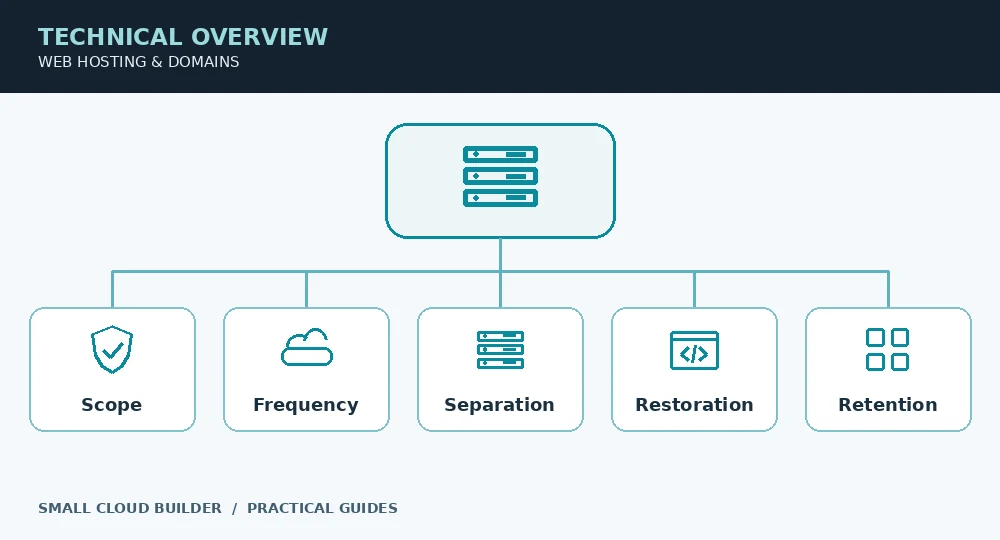
Scope
Inventory database, files, images, configuration and necessary secrets separately. Generated caches usually can be rebuilt.
A demonstration can be misleading when it uses a perfectly prepared environment. The useful question is what happens during routine work. Classify a new order record separately from replaceable generated thumbnails. Use an ordinary sample, with enough variation to reveal common problems but without requiring live customer records. Where behavior differs between a new environment and the existing one, establish which difference matters to the business before making a choice. Keep a record of errors and unexpected constraints as well as successes. An inconclusive test is a reason to refine the experiment, not a reason to assume that scope has been solved.
Avoid building the rest of the project around an undocumented assumption. The useful output here is a small record of the actual behavior and any constraints that may affect the next decision. If another person cannot interpret that record, add the missing context while it is still easy to recover.
Frequency
Match backup frequency to acceptable loss, especially where new transactions are recorded daily.
The distinction becomes easier to see with an explicit acceptance test. Check the date and completeness of the latest database recovery point. Decide in advance which outcome would be a success. A measurement that looks impressive on its own may be irrelevant if the original task remains difficult or unreliable. Track failures alongside the successful result; a capability that works only when a particular person is present may be less useful than a slightly slower process anyone on the team can follow. The final choice should reflect the actual working requirements around frequency, including what the team can reasonably support after the initial installation.
Before extending the setup, identify the part that is hardest to reverse. A limited pilot lets the team address problems in that part without affecting unrelated work. Keep the dependable existing process available until the replacement has passed the checks that matter.
Separation
Store protected copies apart from the account that runs the website; restrict deletion access.
A written requirement is most valuable when it can be tested without guessing what the author meant. Verify the backup account cannot be modified by routine editor credentials. Establish a meaningful threshold for the result, whether that is correctness, usable response time, preservation of records or successful access by the intended person. Do not silently revise the threshold after seeing a disappointing outcome; instead, decide whether the business requirement itself has changed. Even a modest record of test results helps a small team make later decisions about separation without relying on a recollection of which option looked most convincing during the initial evaluation.
If the exercise requires temporary privileges or a special configuration, separate those from what the finished system actually needs. Remove temporary access when it is no longer required and document the configuration that the team expects to keep.
For another perspective on the same infrastructure or workflow decision, see How to Diagnose a Slow Website. Compare the requirements it identifies with the constraints in your own environment.
Restoration
Use a separate environment to recover files, import records and check representative pages and permissions.
If an online shop updates inventory and orders frequently, Monday's media backup plus Friday's database backup may not describe the same state. Coordinate recovery points or document the consequences of inconsistent copies. Restore an order and its associated receipt, then confirm the result in a separate environment.
Separate the initial selection from the evidence that supports it. Recover a representative page and its linked media in a test installation. The test should be small enough that a mistake is reversible and sufficiently representative that the result can guide a decision. Record what direct observation establishes and what remains an assumption. For example, one successful run says little about unusual inputs or a much higher level of demand. Use the first observation to decide what another test ought to cover. As work moves from evaluation into routine operation, revisit the assumptions about restoration rather than leaving them frozen in the original proposal.
It is worth writing down any restriction discovered during the check, including one that does not affect the present workload. A future maintainer may not have the same assumptions about data size, supported devices or how often the procedure needs to run.
Retention
Define daily, weekly or monthly retention according to recovery needs, privacy rules and storage costs.
A less obvious part of retention is the boundary between an individual task and the system around it. Confirm retention removes only copies outside the agreed recovery window. Check the environment before and after the exercise, making sure unrelated records or settings have not changed. Record any dependencies required for success and distinguish permanent requirements from one-time setup work. A process that depends on a temporary test account, a particular device or an undocumented configuration may need additional work before it is ready for normal use. Leave room in the plan for that discovery rather than committing to a launch date on the strength of a first successful attempt.
There is no need for a large spreadsheet if a short set of observations is sufficient. The purpose is to make the decision traceable, distinguish known limitations from speculation and preserve enough information to investigate a reported problem later.
Putting the findings to work
A visitor reaching a website depends on several systems in sequence: domain registration, DNS resolution, encrypted connection establishment, HTTP handling and the returned document. Performance and availability problems can arise at any of those stages. Check each relevant stage independently instead of treating the hosting control panel as a complete picture of the public site. Save the current public hostname and expected behavior before making a change.
For a short review before making the decision, return to the concrete checks from the guide:
- Classify a new order record separately from replaceable generated thumbnails.
- Check the date and completeness of the latest database recovery point.
- Verify the backup account cannot be modified by routine editor credentials.
- Recover a representative page and its linked media in a test installation.
- Confirm retention removes only copies outside the agreed recovery window.
A backup becomes useful only after a successful restore demonstrates what it contains. Keep the key observations available to the people responsible for the system, with enough detail to revisit the decision when the workload, tools or business requirements change.
Related guide: Website Uptime Monitoring and Incident Response. Track real availability and create a clear response process.
Related guide: Cloud Disaster Recovery for Small Teams. Turn recovery objectives, backups and rehearsals into a workable continuity plan.