How to Create a Secure Password Policy
Design manageable account rules that avoid predictable passwords and shared credentials.
A company is standardizing access to hosted tools and wants staff to handle passwords consistently. A usable policy helps people choose and manage strong credentials instead of relying on arbitrary complexity rituals. This is a useful situation in which to make the technical requirements explicit before changing tools, because the choices affect day-to-day work as well as the initial setup.
A security control addresses a particular risk, not every possible problem. Account authentication limits some unauthorized access; restricted permissions limit what an authenticated identity can do; independent recovery copies help after damaging changes. These controls complement one another. A small organization benefits from identifying sensitive systems and assigning ownership before introducing additional complexity.
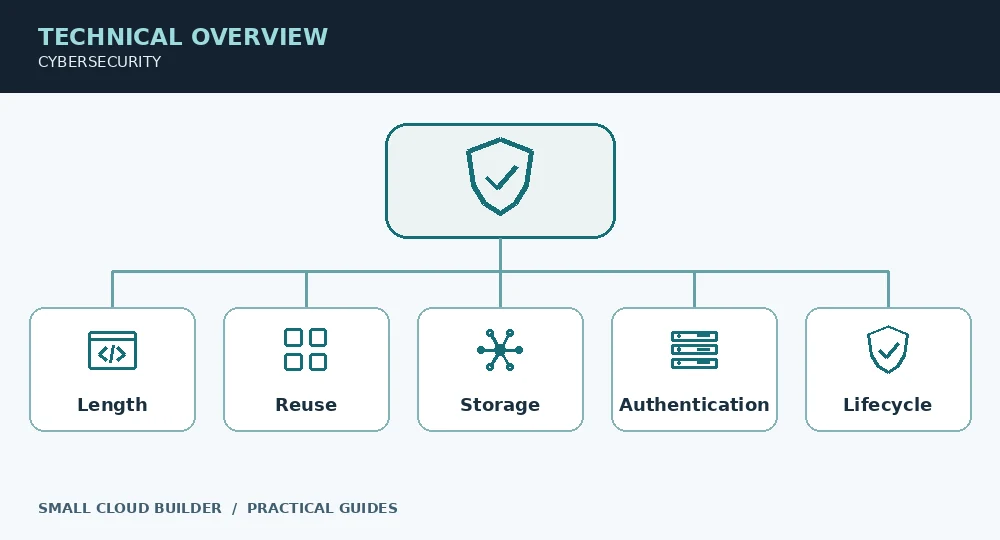
Length
Encourage strong unique passwords or passphrases and use suitable password managers for generated credentials.
There is a straightforward way to turn length into a decision instead of an argument about features. Review three example unique passwords without collecting real employee secrets. Keep the result in a short working note: the starting conditions, what was changed, what actually happened and the outcome that would be acceptable in production. If the result is different from the expected behavior, isolate the cause before adding another component. This is particularly important for a small team, where the person implementing a solution is often also the person who will have to maintain it and explain a failure to colleagues.
Treat a successful result as evidence for the particular situation that was tested. Changes to the environment can alter that behavior. A lightweight regression check after important changes makes it easier to identify when a previously dependable assumption no longer holds.
Reuse
Avoid using the same password between unrelated accounts; change affected credentials after suspected compromise.
A long password stored securely and used only for one account is generally more useful than a short predictable password with forced punctuation. Password managers make unique credentials manageable, while suitable MFA protects against some consequences of password disclosure. Recovery remains important even if memorization is no longer required.
Start with what is already observable. Check how a password manager separates personal and shared business items. Write down the result alongside the original expectation. A useful comparison keeps the workload and the surrounding conditions stable; differences in sample size, connection quality or a change made elsewhere in the system can otherwise distort the conclusion. The value of this check is not that it proves the entire design. It exposes whether the assumption about reuse holds under a recognizable working condition, and whether somebody has enough information to repeat the observation later without reconstructing the whole experiment from memory.
Before extending the setup, identify the part that is hardest to reverse. A limited pilot lets the team address problems in that part without affecting unrelated work. Keep the dependable existing process available until the replacement has passed the checks that matter.
Storage
Use protected password managers rather than plain-text documents, shared spreadsheets or messages.
The distinction becomes easier to see with an explicit acceptance test. Confirm a test account cannot be accessed with reused test credentials from another application. Decide in advance which outcome would be a success. A measurement that looks impressive on its own may be irrelevant if the original task remains difficult or unreliable. Track failures alongside the successful result; a capability that works only when a particular person is present may be less useful than a slightly slower process anyone on the team can follow. The final choice should reflect the actual working requirements around storage, including what the team can reasonably support after the initial installation.
Record a failure before changing several settings at once. A clear observation made under known conditions makes troubleshooting much easier. With multiple simultaneous changes, it may become difficult to tell which action corrected the issue or whether it merely hid the symptom.
For another perspective on the same infrastructure or workflow decision, see Recognizing and Reporting Phishing Attempts. Compare the requirements it identifies with the constraints in your own environment.
Authentication
Combine passwords with suitable MFA, and prefer more phishing-resistant methods where available.
A demonstration can be misleading when it uses a perfectly prepared environment. The useful question is what happens during routine work. Verify availability of a strong supported second factor. Use an ordinary sample, with enough variation to reveal common problems but without requiring live customer records. Where behavior differs between a new environment and the existing one, establish which difference matters to the business before making a choice. Keep a record of errors and unexpected constraints as well as successes. An inconclusive test is a reason to refine the experiment, not a reason to assume that authentication has been solved.
Avoid building the rest of the project around an undocumented assumption. The useful output here is a small record of the actual behavior and any constraints that may affect the next decision. If another person cannot interpret that record, add the missing context while it is still easy to recover.
Lifecycle
Use a documented onboarding and departure process, and test approved recovery procedures.
For lifecycle, a useful comparison is one that a colleague can independently reproduce. Document the approved process for a staff member who has lost access. Describe the relevant starting conditions and save the result using consistent terminology. Avoid comparing a first-time setup in one system with an already optimized setup in another unless the difference is explicitly part of the evaluation. Make note of the effort required to reach a usable state as well as the eventual result. In a business environment, the time required to repeat a configuration, recover access or diagnose a problem is a real constraint, even when it is not reflected in a product specification.
The people who carry out routine work may notice different problems from the person who set up the system. Include their observations, particularly repeated manual steps or confusing states. These details can dominate the long-term effort even when the underlying technology performs well.
Putting the findings to work
Routine maintenance provides a foundation for more complicated security work. Keep software supported, remove unnecessary access, preserve appropriate logs and test recovery procedures with authorized tools and harmless sample data. Record responsibility for following up on notices and problems. Do not assume that a product will investigate every unusual event or make decisions on behalf of the organization.
For a short review before making the decision, return to the concrete checks from the guide:
- Review three example unique passwords without collecting real employee secrets.
- Check how a password manager separates personal and shared business items.
- Confirm a test account cannot be accessed with reused test credentials from another application.
- Verify availability of a strong supported second factor.
- Document the approved process for a staff member who has lost access.
A usable policy helps people choose and manage strong credentials instead of relying on arbitrary complexity rituals. Keep the key observations available to the people responsible for the system, with enough detail to revisit the decision when the workload, tools or business requirements change.
Related guide: Understanding Least-Privilege Access. Assign only the permissions people and software need to complete approved tasks.
Related guide: Business Password Managers: Choosing and Deploying One. Plan shared credential management, access policies and account recovery.