Business Password Managers: Choosing and Deploying One
Plan shared credential management, access policies and account recovery.
A small agency currently stores client credentials in personal notes and messaging threads. A password manager improves security only if its access lifecycle and recovery procedures work in practice. The details matter more than product labels. The challenge is to understand which parts of the system the business depends on, where the limits are and how to check the proposed approach under realistic conditions.
Hosted software can change independently of the customer's release schedule. Updated interfaces, revised plans and integration changes may affect familiar processes. Keep documentation and data ownership arrangements current, and avoid putting irreplaceable record access behind a personal account. Evaluate an exit process during a pilot, when it is relatively straightforward to discover missing export capabilities.
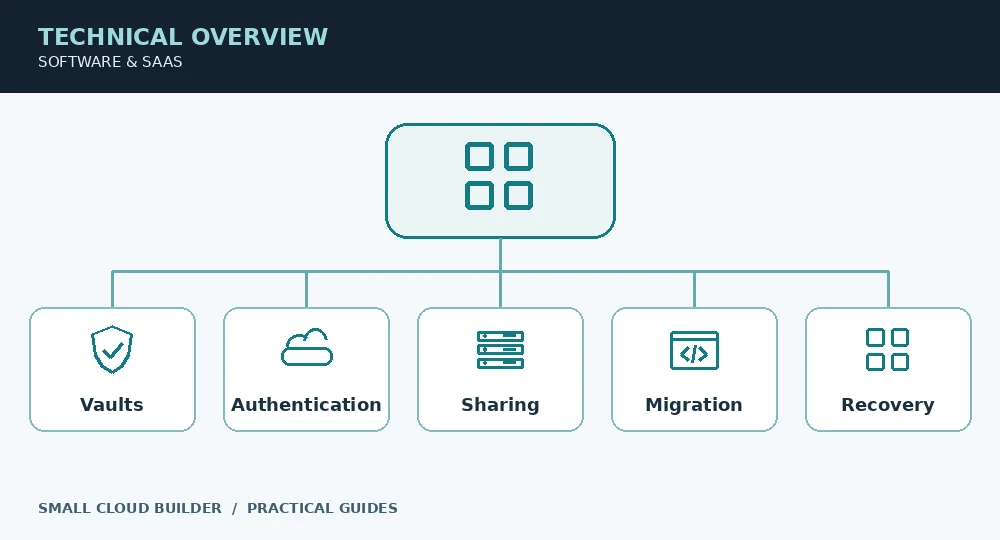
Vaults
Separate company-owned items from personal ones and group shared records by access requirements.
Separate the initial selection from the evidence that supports it. Create a non-sensitive shared vault and verify group permissions. The test should be small enough that a mistake is reversible and sufficiently representative that the result can guide a decision. Record what direct observation establishes and what remains an assumption. For example, one successful run says little about unusual inputs or a much higher level of demand. Use the first observation to decide what another test ought to cover. As work moves from evaluation into routine operation, revisit the assumptions about vaults rather than leaving them frozen in the original proposal.
Before extending the setup, identify the part that is hardest to reverse. A limited pilot lets the team address problems in that part without affecting unrelated work. Keep the dependable existing process available until the replacement has passed the checks that matter.
Authentication
Enable strong multi-factor authentication or passkeys where supported and design recovery with multiple authorized owners.
A written requirement is most valuable when it can be tested without guessing what the author meant. Test recovery from the loss of one authorized authenticator using the approved procedure. Establish a meaningful threshold for the result, whether that is correctness, usable response time, preservation of records or successful access by the intended person. Do not silently revise the threshold after seeing a disappointing outcome; instead, decide whether the business requirement itself has changed. Even a modest record of test results helps a small team make later decisions about authentication without relying on a recollection of which option looked most convincing during the initial evaluation.
Record a failure before changing several settings at once. A clear observation made under known conditions makes troubleshooting much easier. With multiple simultaneous changes, it may become difficult to tell which action corrected the issue or whether it merely hid the symptom.
Sharing
Provide individual access and scoped groups instead of distributing a common master password.
A less obvious part of sharing is the boundary between an individual task and the system around it. Check whether a removed test member retains synchronized access. Check the environment before and after the exercise, making sure unrelated records or settings have not changed. Record any dependencies required for success and distinguish permanent requirements from one-time setup work. A process that depends on a temporary test account, a particular device or an undocumented configuration may need additional work before it is ready for normal use. Leave room in the plan for that discovery rather than committing to a launch date on the strength of a first successful attempt.
Avoid building the rest of the project around an undocumented assumption. The useful output here is a small record of the actual behavior and any constraints that may affect the next decision. If another person cannot interpret that record, add the missing context while it is still easy to recover.
For another perspective on the same infrastructure or workflow decision, see Choosing Cloud Office Software. Compare the requirements it identifies with the constraints in your own environment.
Migration
Identify duplicates and rotate sensitive credentials where prior exposure is plausible; verify critical logins.
If one person holds a shared master password, their departure requires changing every credential they could have seen. Individual accounts and scoped shared vaults reduce the routine burden and make access changes easier to review. Highly sensitive entries may still warrant separate handling and rotation after a role change.
The distinction becomes easier to see with an explicit acceptance test. Inventory duplicate records and identify owners before cleanup. Decide in advance which outcome would be a success. A measurement that looks impressive on its own may be irrelevant if the original task remains difficult or unreliable. Track failures alongside the successful result; a capability that works only when a particular person is present may be less useful than a slightly slower process anyone on the team can follow. The final choice should reflect the actual working requirements around migration, including what the team can reasonably support after the initial installation.
It is worth writing down any restriction discovered during the check, including one that does not affect the present workload. A future maintainer may not have the same assumptions about data size, supported devices or how often the procedure needs to run.
Recovery
Test business continuity when an administrator is unavailable while preventing unrestricted account takeover.
A demonstration can be misleading when it uses a perfectly prepared environment. The useful question is what happens during routine work. Document a protected process for restoring access when the administrator is absent. Use an ordinary sample, with enough variation to reveal common problems but without requiring live customer records. Where behavior differs between a new environment and the existing one, establish which difference matters to the business before making a choice. Keep a record of errors and unexpected constraints as well as successes. An inconclusive test is a reason to refine the experiment, not a reason to assume that recovery has been solved.
The people who carry out routine work may notice different problems from the person who set up the system. Include their observations, particularly repeated manual steps or confusing states. These details can dominate the long-term effort even when the underlying technology performs well.
Putting the findings to work
Software advertised by a vendor is not necessarily the same as the configuration a business will use. Plan limits, administrator roles, supported integrations and export functions may differ. Test important workflows with representative but non-sensitive data before making the software central to the organization. Note who will own the subscription and how shared records survive changes in personnel.
For a short review before making the decision, return to the concrete checks from the guide:
- Create a non-sensitive shared vault and verify group permissions.
- Test recovery from the loss of one authorized authenticator using the approved procedure.
- Check whether a removed test member retains synchronized access.
- Inventory duplicate records and identify owners before cleanup.
- Document a protected process for restoring access when the administrator is absent.
A password manager improves security only if its access lifecycle and recovery procedures work in practice. Keep the key observations available to the people responsible for the system, with enough detail to revisit the decision when the workload, tools or business requirements change.
Related guide: Orb Live and the Early Days of Remote Media Streaming. A retrospective on accessing a home media collection from mobile devices.
Related guide: Multi-Factor Authentication and Passkeys Explained. Reduce account takeover risk while preserving safe access recovery.