Understanding Least-Privilege Access
Assign only the permissions people and software need to complete approved tasks.
A growing company has many administrators because early staff were granted broad access for convenience. Least privilege limits unnecessary risk while requiring a practical process for legitimate exceptions. Rather than starting with a long feature list, begin with the task itself. This makes it possible to compare alternatives against a real requirement and identify responsibilities before committing to a design.
A security control addresses a particular risk, not every possible problem. Account authentication limits some unauthorized access; restricted permissions limit what an authenticated identity can do; independent recovery copies help after damaging changes. These controls complement one another. A small organization benefits from identifying sensitive systems and assigning ownership before introducing additional complexity.
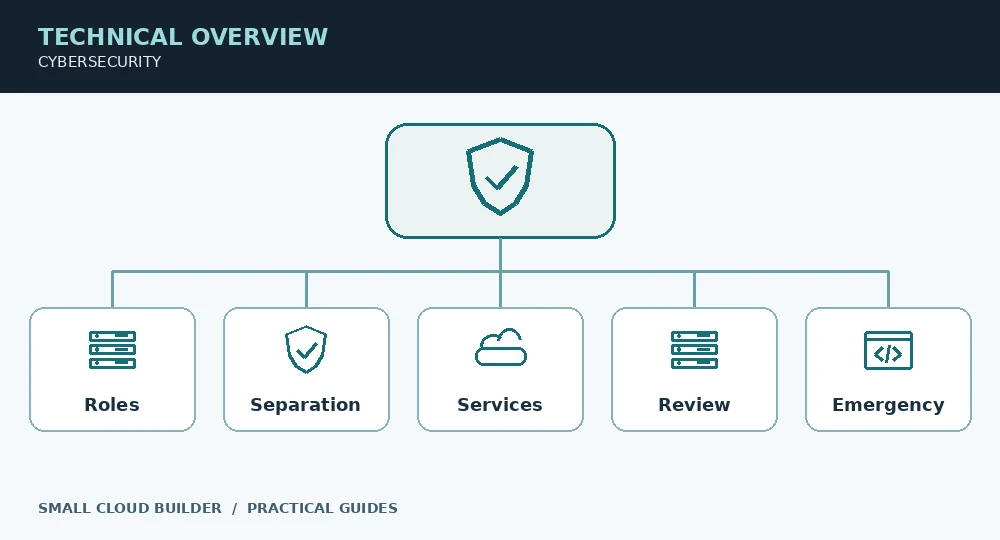
Roles
Group common job responsibilities into roles with explicit permissions rather than granting broad access individually.
A demonstration can be misleading when it uses a perfectly prepared environment. The useful question is what happens during routine work. List which tasks require elevated permissions and which do not. Use an ordinary sample, with enough variation to reveal common problems but without requiring live customer records. Where behavior differs between a new environment and the existing one, establish which difference matters to the business before making a choice. Keep a record of errors and unexpected constraints as well as successes. An inconclusive test is a reason to refine the experiment, not a reason to assume that roles has been solved.
If the exercise requires temporary privileges or a special configuration, separate those from what the finished system actually needs. Remove temporary access when it is no longer required and document the configuration that the team expects to keep.
Separation
Keep everyday work apart from high-privilege administration and use time-limited elevated access where supported.
A staff member who publishes articles generally does not need to change billing, hosting accounts or account-recovery settings. An appropriately limited editor role supports the job without granting infrastructure administration. If exceptional access is needed, establish a reviewed temporary procedure rather than permanently increasing permissions for convenience.
In the planning stage, avoid treating separation as a feature checkbox. Test a sample read-only role against permitted ordinary operations. This gives the team a real starting point for comparison. Note how much setup and administrative effort the task requires, and whether the result can be repeated without relying on special access unavailable to ordinary users. If the proposed system changes the way a person completes their work, try the new process from that role's perspective as well. The aim is to establish what is possible with the configuration you will actually operate, rather than what is possible in an ideal demonstration.
Avoid building the rest of the project around an undocumented assumption. The useful output here is a small record of the actual behavior and any constraints that may affect the next decision. If another person cannot interpret that record, add the missing context while it is still easy to recover.
Services
Give integrations dedicated, scoped identities; maintain responsibility for rotation and retirement of credentials.
Separate the initial selection from the evidence that supports it. Review integration identities and remove unused test scopes. The test should be small enough that a mistake is reversible and sufficiently representative that the result can guide a decision. Record what direct observation establishes and what remains an assumption. For example, one successful run says little about unusual inputs or a much higher level of demand. Use the first observation to decide what another test ought to cover. As work moves from evaluation into routine operation, revisit the assumptions about services rather than leaving them frozen in the original proposal.
Treat a successful result as evidence for the particular situation that was tested. Changes to the environment can alter that behavior. A lightweight regression check after important changes makes it easier to identify when a previously dependable assumption no longer holds.
For another perspective on the same infrastructure or workflow decision, see Secure Software Updates for Small Teams. Compare the requirements it identifies with the constraints in your own environment.
Review
Inspect access regularly and during role changes, ensuring legitimate work can continue.
A written requirement is most valuable when it can be tested without guessing what the author meant. Check role changes when a staff member moves between teams. Establish a meaningful threshold for the result, whether that is correctness, usable response time, preservation of records or successful access by the intended person. Do not silently revise the threshold after seeing a disappointing outcome; instead, decide whether the business requirement itself has changed. Even a modest record of test results helps a small team make later decisions about review without relying on a recollection of which option looked most convincing during the initial evaluation.
The cost of an incorrect assumption increases as more people or records depend on it. Resolve uncertainty while the configuration is still small. A precise limitation is more useful than a general assurance that the system should probably work in a larger environment.
Emergency
Maintain a protected procedure for urgent authorized access and record its use.
The distinction becomes easier to see with an explicit acceptance test. Verify a protected emergency access procedure without broadening ordinary access. Decide in advance which outcome would be a success. A measurement that looks impressive on its own may be irrelevant if the original task remains difficult or unreliable. Track failures alongside the successful result; a capability that works only when a particular person is present may be less useful than a slightly slower process anyone on the team can follow. The final choice should reflect the actual working requirements around emergency, including what the team can reasonably support after the initial installation.
There is no need for a large spreadsheet if a short set of observations is sufficient. The purpose is to make the decision traceable, distinguish known limitations from speculation and preserve enough information to investigate a reported problem later.
Review controls from both the ordinary user's and the administrator's perspectives. A recovery path that is impossible to use in a real incident may encourage unsafe workarounds. Excessive administrator permissions can also turn a routine mistake into a serious problem. The aim is a practical process that enables legitimate work while keeping sensitive actions subject to appropriate control.
Putting the findings to work
Routine maintenance provides a foundation for more complicated security work. Keep software supported, remove unnecessary access, preserve appropriate logs and test recovery procedures with authorized tools and harmless sample data. Record responsibility for following up on notices and problems. Do not assume that a product will investigate every unusual event or make decisions on behalf of the organization.
For a short review before making the decision, return to the concrete checks from the guide:
- List which tasks require elevated permissions and which do not.
- Test a sample read-only role against permitted ordinary operations.
- Review integration identities and remove unused test scopes.
- Check role changes when a staff member moves between teams.
- Verify a protected emergency access procedure without broadening ordinary access.
Least privilege limits unnecessary risk while requiring a practical process for legitimate exceptions. Keep the key observations available to the people responsible for the system, with enough detail to revisit the decision when the workload, tools or business requirements change.
Related guide: Incident Response Planning for Small Organizations. Prepare a simple process for handling suspected security incidents.
Related guide: How to Evaluate SaaS for a Small Business. Assess software subscriptions using workflows, access controls and real ownership costs.