Ethernet Cabling and Network Speed Basics
Plan wired connectivity using supported speeds, cable quality and practical testing.
A shared office is replacing old cables and adding a local storage server. A well-installed wired network provides predictable capacity and often simplifies wireless troubleshooting. Rather than starting with a long feature list, begin with the task itself. This makes it possible to compare alternatives against a real requirement and identify responsibilities before committing to a design.
Availability and durability solve different problems. A system that remains accessible after a disk failure may still propagate an accidental deletion or lose data during a serious equipment failure. Retained copies and tested restoration provide a different type of protection. Decide how quickly important files must become accessible and how much recent change the owner can afford to lose.
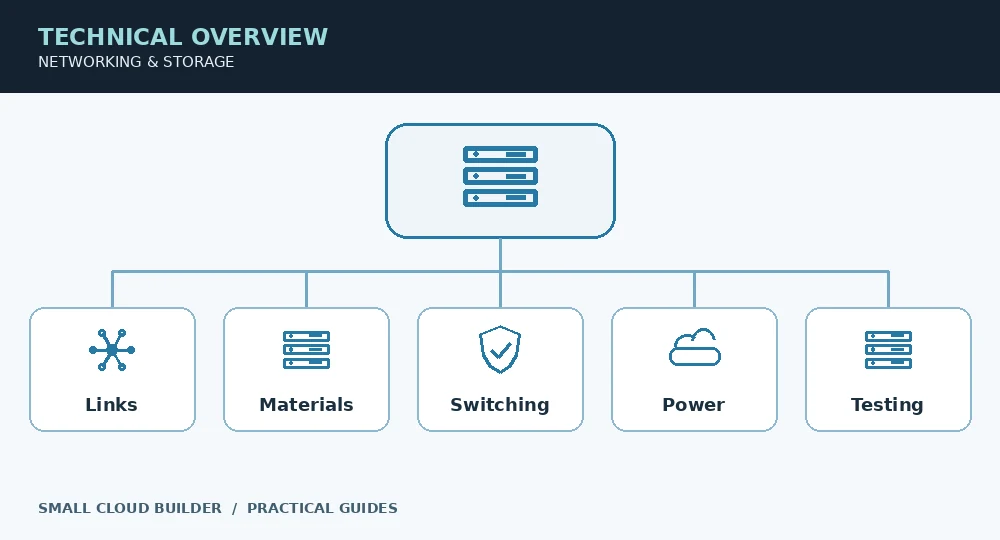
Links
Ethernet speed is negotiated between devices; both ports and the cable path must support the desired standard.
Separate the initial selection from the evidence that supports it. Inspect negotiated link speed on representative devices at each endpoint. The test should be small enough that a mistake is reversible and sufficiently representative that the result can guide a decision. Record what direct observation establishes and what remains an assumption. For example, one successful run says little about unusual inputs or a much higher level of demand. Use the first observation to decide what another test ought to cover. As work moves from evaluation into routine operation, revisit the assumptions about links rather than leaving them frozen in the original proposal.
The cost of an incorrect assumption increases as more people or records depend on it. Resolve uncertainty while the configuration is still small. A precise limitation is more useful than a general assurance that the system should probably work in a larger environment.
Materials
Use appropriate cables and terminations for the distance and installation environment; confirm manufacturer specifications.
An implementation plan should state who owns materials once the work is complete. Check cable labeling, termination and required installation distance. Ask the person responsible for ongoing administration to take part in verifying the result, rather than handing them an unfamiliar setup at the end. They need to know where to find the relevant configuration, what a normal result looks like and what to do if it changes unexpectedly. Where two roles share responsibility, document the handoff. In a small organization, clear ownership and a repeatable check often prevent problems that an additional piece of software would merely make more difficult to investigate.
Before extending the setup, identify the part that is hardest to reverse. A limited pilot lets the team address problems in that part without affecting unrelated work. Keep the dependable existing process available until the replacement has passed the checks that matter.
Switching
Consider uplink capacity when many devices transfer to one destination or leave the access switch.
Eight workstations each reading at 150 Mbps could together demand 1.2 Gbps from a storage server. A single 1 Gbps uplink therefore becomes a possible limit before protocol overhead even if every workstation has a gigabit port. Size shared links for expected simultaneous traffic.
Separate the initial selection from the evidence that supports it. Compare a single workstation transfer with several concurrent transfers to local storage. The test should be small enough that a mistake is reversible and sufficiently representative that the result can guide a decision. Record what direct observation establishes and what remains an assumption. For example, one successful run says little about unusual inputs or a much higher level of demand. Use the first observation to decide what another test ought to cover. As work moves from evaluation into routine operation, revisit the assumptions about switching rather than leaving them frozen in the original proposal.
Record a failure before changing several settings at once. A clear observation made under known conditions makes troubleshooting much easier. With multiple simultaneous changes, it may become difficult to tell which action corrected the issue or whether it merely hid the symptom.
For another perspective on the same infrastructure or workflow decision, see Home Media Servers: Formats, Clients and Storage. Compare the requirements it identifies with the constraints in your own environment.
Power
If using Power over Ethernet, check the switch's total power budget and device requirements.
A less obvious part of power is the boundary between an individual task and the system around it. Sum the power requirements of devices connected to a PoE switch. Check the environment before and after the exercise, making sure unrelated records or settings have not changed. Record any dependencies required for success and distinguish permanent requirements from one-time setup work. A process that depends on a temporary test account, a particular device or an undocumented configuration may need additional work before it is ready for normal use. Leave room in the plan for that discovery rather than committing to a launch date on the strength of a first successful attempt.
When comparing choices, include the ordinary maintenance procedure as a requirement. If the team can only demonstrate a capability with extensive assistance, plan for that dependency rather than assuming the same results will be available without it.
Testing
Inspect link speeds, error counters and actual transfer performance, isolating questionable cable runs.
A written requirement is most valuable when it can be tested without guessing what the author meant. Investigate rising link error counts before concluding that a faster internet plan is needed. Establish a meaningful threshold for the result, whether that is correctness, usable response time, preservation of records or successful access by the intended person. Do not silently revise the threshold after seeing a disappointing outcome; instead, decide whether the business requirement itself has changed. Even a modest record of test results helps a small team make later decisions about testing without relying on a recollection of which option looked most convincing during the initial evaluation.
Treat a successful result as evidence for the particular situation that was tested. Changes to the environment can alter that behavior. A lightweight regression check after important changes makes it easier to identify when a previously dependable assumption no longer holds.
Putting the findings to work
Storage devices and network services have different maintenance lifecycles. Disks, controllers and local applications may continue functioning after a vendor stops supporting a remote service. Avoid relying on unsupported remote access for current business operations, and keep an independently accessible copy of irreplaceable material. A migration plan should preserve the files even if the previous application cannot be installed again.
For a short review before making the decision, return to the concrete checks from the guide:
- Inspect negotiated link speed on representative devices at each endpoint.
- Check cable labeling, termination and required installation distance.
- Compare a single workstation transfer with several concurrent transfers to local storage.
- Sum the power requirements of devices connected to a PoE switch.
- Investigate rising link error counts before concluding that a faster internet plan is needed.
A well-installed wired network provides predictable capacity and often simplifies wireless troubleshooting. Keep the key observations available to the people responsible for the system, with enough detail to revisit the decision when the workload, tools or business requirements change.
Related guide: Understanding Home and Small Office Networks. Plan reliable connectivity around routers, switches, access points and addressing.
Related guide: How to Diagnose a Slow Website. Separate browser delays, network latency and server processing using repeatable measurements.