File Sync vs Backup: Why You Need Both
Distinguish collaboration from durable recovery and design a practical file-protection plan.
A team shares a synchronized project folder and one person accidentally removes a large collection of working documents. A collaboration system may help recover recent mistakes but should not be trusted as the only surviving copy. Rather than starting with a long feature list, begin with the task itself. This makes it possible to compare alternatives against a real requirement and identify responsibilities before committing to a design.
Network speed, application throughput and storage performance measure different things. A nominal link speed is an upper bound for that part of the connection, not a guarantee that the source can supply or the destination can write data at the same rate. Protocol overhead, device processing, concurrent activity and the access pattern all influence the observed result. Measure the complete transfer for the files and devices that matter.
Sync
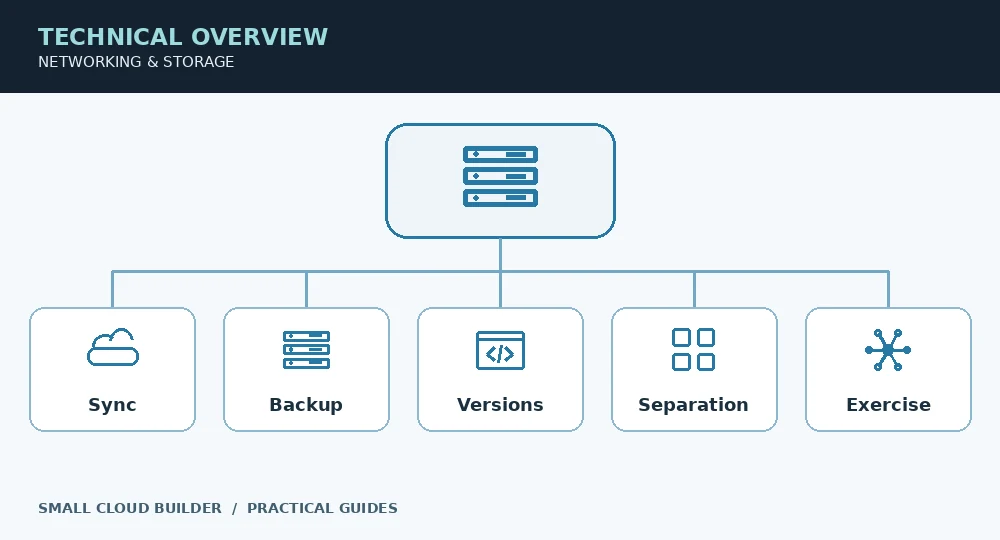
Synchronization propagates changes to participating devices so people can access current versions.
There is a straightforward way to turn sync into a decision instead of an argument about features. Edit and rename a harmless synchronized sample file on two devices. Keep the result in a short working note: the starting conditions, what was changed, what actually happened and the outcome that would be acceptable in production. If the result is different from the expected behavior, isolate the cause before adding another component. This is particularly important for a small team, where the person implementing a solution is often also the person who will have to maintain it and explain a failure to colleagues.
If the exercise requires temporary privileges or a special configuration, separate those from what the finished system actually needs. Remove temporary access when it is no longer required and document the configuration that the team expects to keep.
Backup
Independent retained copies allow recovery after accidental changes, damage or device loss.
A sync client sees removal as a legitimate change and may remove the same item from every participating computer. Version retention could rescue it temporarily, but an independent backup offers a separate recovery path. Set the retention period to match how long mistakes may remain unnoticed.
A written requirement is most valuable when it can be tested without guessing what the author meant. Remove it accidentally in a test folder and inspect deletion propagation. Establish a meaningful threshold for the result, whether that is correctness, usable response time, preservation of records or successful access by the intended person. Do not silently revise the threshold after seeing a disappointing outcome; instead, decide whether the business requirement itself has changed. Even a modest record of test results helps a small team make later decisions about backup without relying on a recollection of which option looked most convincing during the initial evaluation.
Before extending the setup, identify the part that is hardest to reverse. A limited pilot lets the team address problems in that part without affecting unrelated work. Keep the dependable existing process available until the replacement has passed the checks that matter.
Versions
Review retention windows, deletion behavior and whether administrators can recover older copies.
Separate the initial selection from the evidence that supports it. Compare a synchronization version history with an independent backup recovery point. The test should be small enough that a mistake is reversible and sufficiently representative that the result can guide a decision. Record what direct observation establishes and what remains an assumption. For example, one successful run says little about unusual inputs or a much higher level of demand. Use the first observation to decide what another test ought to cover. As work moves from evaluation into routine operation, revisit the assumptions about versions rather than leaving them frozen in the original proposal.
Treat a successful result as evidence for the particular situation that was tested. Changes to the environment can alter that behavior. A lightweight regression check after important changes makes it easier to identify when a previously dependable assumption no longer holds.
For another perspective on the same infrastructure or workflow decision, see RAID Explained for Small Storage Systems. Compare the requirements it identifies with the constraints in your own environment.
Separation
Protect backups with restricted credentials and consider copies that ordinary synchronization cannot modify.
A demonstration can be misleading when it uses a perfectly prepared environment. The useful question is what happens during routine work. Recover an older version while leaving the current folder unchanged. Use an ordinary sample, with enough variation to reveal common problems but without requiring live customer records. Where behavior differs between a new environment and the existing one, establish which difference matters to the business before making a choice. Keep a record of errors and unexpected constraints as well as successes. An inconclusive test is a reason to refine the experiment, not a reason to assume that separation has been solved.
The cost of an incorrect assumption increases as more people or records depend on it. Resolve uncertainty while the configuration is still small. A precise limitation is more useful than a general assurance that the system should probably work in a larger environment.
Exercise
Restore a sample folder into a separate location and compare content, dates and expected file names.
An implementation plan should state who owns exercise once the work is complete. Document which people can change or remove each protection copy. Ask the person responsible for ongoing administration to take part in verifying the result, rather than handing them an unfamiliar setup at the end. They need to know where to find the relevant configuration, what a normal result looks like and what to do if it changes unexpectedly. Where two roles share responsibility, document the handoff. In a small organization, clear ownership and a repeatable check often prevent problems that an additional piece of software would merely make more difficult to investigate.
Record a failure before changing several settings at once. A clear observation made under known conditions makes troubleshooting much easier. With multiple simultaneous changes, it may become difficult to tell which action corrected the issue or whether it merely hid the symptom.
Putting the findings to work
Availability and durability solve different problems. A system that remains accessible after a disk failure may still propagate an accidental deletion or lose data during a serious equipment failure. Retained copies and tested restoration provide a different type of protection. Decide how quickly important files must become accessible and how much recent change the owner can afford to lose.
For a short review before making the decision, return to the concrete checks from the guide:
- Edit and rename a harmless synchronized sample file on two devices.
- Remove it accidentally in a test folder and inspect deletion propagation.
- Compare a synchronization version history with an independent backup recovery point.
- Recover an older version while leaving the current folder unchanged.
- Document which people can change or remove each protection copy.
A collaboration system may help recover recent mistakes but should not be trusted as the only surviving copy. Keep the key observations available to the people responsible for the system, with enough detail to revisit the decision when the workload, tools or business requirements change.
Related guide: Wi-Fi Coverage and Reliability in Small Offices. Improve wireless performance using placement, channel planning and realistic measurements.
Related guide: Cloud Disaster Recovery for Small Teams. Turn recovery objectives, backups and rehearsals into a workable continuity plan.