How Object Storage Differs from File and Block Storage
Choose among object APIs, filesystems and disk-like volumes.
A media application needs to serve image files, while its database requires low-latency random writes. Different storage interfaces fit different access patterns; a good system may use more than one. The details matter more than product labels. The challenge is to understand which parts of the system the business depends on, where the limits are and how to check the proposed approach under realistic conditions.
Storage devices and network services have different maintenance lifecycles. Disks, controllers and local applications may continue functioning after a vendor stops supporting a remote service. Avoid relying on unsupported remote access for current business operations, and keep an independently accessible copy of irreplaceable material. A migration plan should preserve the files even if the previous application cannot be installed again.
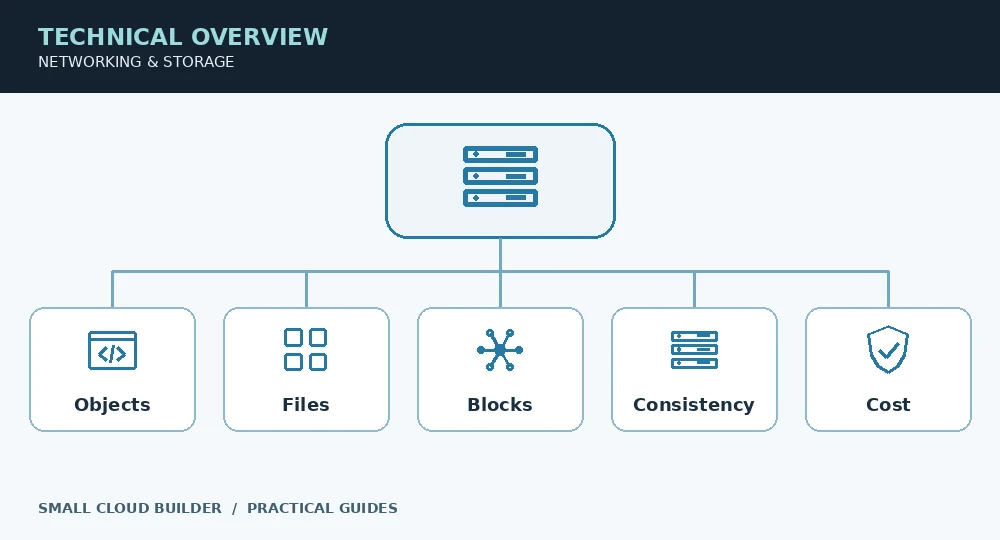
Objects
Object stores expose named items and metadata through an API; they are useful for independently accessed immutable or replaceable content.
A demonstration can be misleading when it uses a perfectly prepared environment. The useful question is what happens during routine work. Compare storing an image object with writing many small updates to a database file. Use an ordinary sample, with enough variation to reveal common problems but without requiring live customer records. Where behavior differs between a new environment and the existing one, establish which difference matters to the business before making a choice. Keep a record of errors and unexpected constraints as well as successes. An inconclusive test is a reason to refine the experiment, not a reason to assume that objects has been solved.
Avoid building the rest of the project around an undocumented assumption. The useful output here is a small record of the actual behavior and any constraints that may affect the next decision. If another person cannot interpret that record, add the missing context while it is still easy to recover.
Files
File storage provides hierarchical names and common network filesystem semantics needed by shared applications.
Separate the initial selection from the evidence that supports it. Review filesystem permission and locking requirements for a shared application. The test should be small enough that a mistake is reversible and sufficiently representative that the result can guide a decision. Record what direct observation establishes and what remains an assumption. For example, one successful run says little about unusual inputs or a much higher level of demand. Use the first observation to decide what another test ought to cover. As work moves from evaluation into routine operation, revisit the assumptions about files rather than leaving them frozen in the original proposal.
It is worth writing down any restriction discovered during the check, including one that does not affect the present workload. A future maintainer may not have the same assumptions about data size, supported devices or how often the procedure needs to run.
Blocks
Block devices expose addressable storage used by operating systems and databases, typically with a filesystem or engine above them.
In the planning stage, avoid treating blocks as a feature checkbox. Measure representative object request rates rather than only stored volume. This gives the team a real starting point for comparison. Note how much setup and administrative effort the task requires, and whether the result can be repeated without relying on special access unavailable to ordinary users. If the proposed system changes the way a person completes their work, try the new process from that role's perspective as well. The aim is to establish what is possible with the configuration you will actually operate, rather than what is possible in an ideal demonstration.
When comparing choices, include the ordinary maintenance procedure as a requirement. If the team can only demonstrate a capability with extensive assistance, plan for that dependency rather than assuming the same results will be available without it.
For another perspective on the same infrastructure or workflow decision, see Wi-Fi Coverage and Reliability in Small Offices. Compare the requirements it identifies with the constraints in your own environment.
Consistency
Read the service's semantics for updates, concurrent writers, listing and caching before using it for coordination.
An application writing a frequently modified database page has very different requirements from storing thousands of standalone photographs. The database may expect block or filesystem operations not supplied by an object API. Using the storage interface expected by the workload avoids awkward layers that simulate unsupported semantics.
An implementation plan should state who owns consistency once the work is complete. Check listing and overwrite behavior with harmless test objects. Ask the person responsible for ongoing administration to take part in verifying the result, rather than handing them an unfamiliar setup at the end. They need to know where to find the relevant configuration, what a normal result looks like and what to do if it changes unexpectedly. Where two roles share responsibility, document the handoff. In a small organization, clear ownership and a repeatable check often prevent problems that an additional piece of software would merely make more difficult to investigate.
Before extending the setup, identify the part that is hardest to reverse. A limited pilot lets the team address problems in that part without affecting unrelated work. Keep the dependable existing process available until the replacement has passed the checks that matter.
Cost
Measure capacity, requests, throughput, replication and transfer for the application rather than choosing solely by gigabytes.
Keep a distinction between normal operation and an unusual condition. Estimate transfer and access costs for data retrieved frequently and rarely. Observe the ordinary result first, then use a controlled test environment to examine a reasonable edge case. The purpose is to understand the limitations, not to create a problem for live users. If the result cannot be reproduced, inspect the starting state and any dependencies before drawing a conclusion. The practical understanding of cost should include both what happens when everything is working and how an operator can tell when the system has stopped meeting its intended requirement.
The people who carry out routine work may notice different problems from the person who set up the system. Include their observations, particularly repeated manual steps or confusing states. These details can dominate the long-term effort even when the underlying technology performs well.
Putting the findings to work
Network speed, application throughput and storage performance measure different things. A nominal link speed is an upper bound for that part of the connection, not a guarantee that the source can supply or the destination can write data at the same rate. Protocol overhead, device processing, concurrent activity and the access pattern all influence the observed result. Measure the complete transfer for the files and devices that matter.
For a short review before making the decision, return to the concrete checks from the guide:
- Compare storing an image object with writing many small updates to a database file.
- Review filesystem permission and locking requirements for a shared application.
- Measure representative object request rates rather than only stored volume.
- Check listing and overwrite behavior with harmless test objects.
- Estimate transfer and access costs for data retrieved frequently and rarely.
Different storage interfaces fit different access patterns; a good system may use more than one. Keep the key observations available to the people responsible for the system, with enough detail to revisit the decision when the workload, tools or business requirements change.
Related guide: Home Media Servers: Formats, Clients and Storage. Organize personal media playback across devices without assuming every file can play everywhere.
Related guide: Cloud Computing for Small Businesses: Where to Start. Choose the right first cloud services without inheriting a complicated infrastructure bill.