Customer Relationship Management Software: Selection Guide
Choose a CRM around the sales and service processes actually used.
A small B2B team wants fewer missed follow-ups and clearer visibility into existing accounts. A CRM is useful when it helps people follow through, not when it merely accumulates fields. Rather than starting with a long feature list, begin with the task itself. This makes it possible to compare alternatives against a real requirement and identify responsibilities before committing to a design.
Software advertised by a vendor is not necessarily the same as the configuration a business will use. Plan limits, administrator roles, supported integrations and export functions may differ. Test important workflows with representative but non-sensitive data before making the software central to the organization. Note who will own the subscription and how shared records survive changes in personnel.
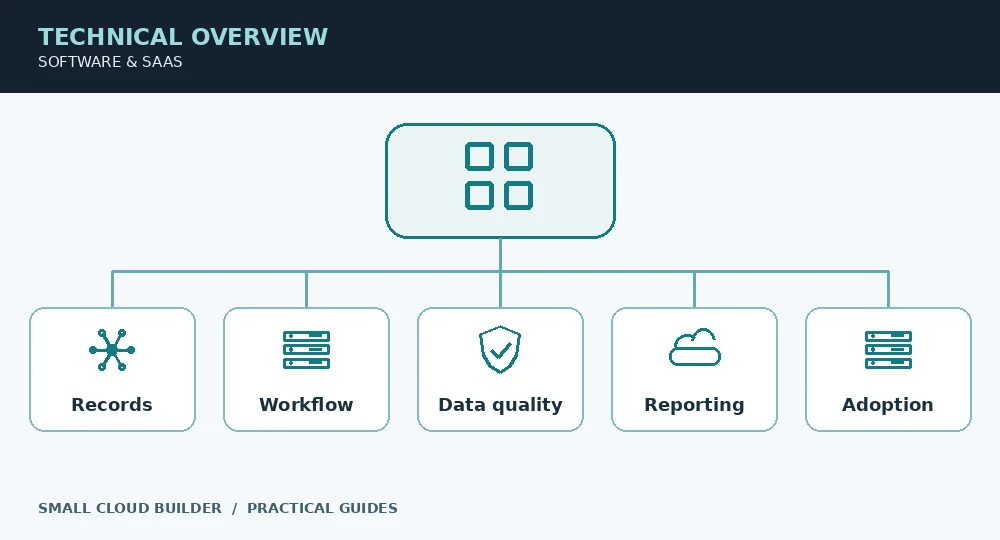
Records
Define companies, contacts, opportunities and activities; establish a consistent ownership model.
A less obvious part of records is the boundary between an individual task and the system around it. Record a sample lead, contact and associated company without unnecessary fields. Check the environment before and after the exercise, making sure unrelated records or settings have not changed. Record any dependencies required for success and distinguish permanent requirements from one-time setup work. A process that depends on a temporary test account, a particular device or an undocumented configuration may need additional work before it is ready for normal use. Leave room in the plan for that discovery rather than committing to a launch date on the strength of a first successful attempt.
The cost of an incorrect assumption increases as more people or records depend on it. Resolve uncertainty while the configuration is still small. A precise limitation is more useful than a general assurance that the system should probably work in a larger environment.
Workflow
Map qualification, follow-up and handoff stages before configuring automation.
A sales team could distinguish a new inquiry, a qualified opportunity and an accepted agreement. If every record is simply marked open or closed, the manager cannot see where opportunities stall. Define each transition and what evidence justifies it, without forcing staff to fill unnecessary fields for incomplete first contacts.
The distinction becomes easier to see with an explicit acceptance test. Move a test opportunity through the actual sales stages. Decide in advance which outcome would be a success. A measurement that looks impressive on its own may be irrelevant if the original task remains difficult or unreliable. Track failures alongside the successful result; a capability that works only when a particular person is present may be less useful than a slightly slower process anyone on the team can follow. The final choice should reflect the actual working requirements around workflow, including what the team can reasonably support after the initial installation.
The people who carry out routine work may notice different problems from the person who set up the system. Include their observations, particularly repeated manual steps or confusing states. These details can dominate the long-term effort even when the underlying technology performs well.
Data quality
Use import mapping, duplicate detection and validation rules without erasing legitimate shared contacts.
A written requirement is most valuable when it can be tested without guessing what the author meant. Check whether duplicate contacts are flagged without damaging distinct accounts. Establish a meaningful threshold for the result, whether that is correctness, usable response time, preservation of records or successful access by the intended person. Do not silently revise the threshold after seeing a disappointing outcome; instead, decide whether the business requirement itself has changed. Even a modest record of test results helps a small team make later decisions about data quality without relying on a recollection of which option looked most convincing during the initial evaluation.
When comparing choices, include the ordinary maintenance procedure as a requirement. If the team can only demonstrate a capability with extensive assistance, plan for that dependency rather than assuming the same results will be available without it.
For another perspective on the same infrastructure or workflow decision, see Project Management Tools for Distributed Teams. Compare the requirements it identifies with the constraints in your own environment.
Reporting
Choose meaningful measures such as qualified pipeline, conversion and time between follow-ups.
In the planning stage, avoid treating reporting as a feature checkbox. Verify that the dashboard answers a manager's real weekly questions. This gives the team a real starting point for comparison. Note how much setup and administrative effort the task requires, and whether the result can be repeated without relying on special access unavailable to ordinary users. If the proposed system changes the way a person completes their work, try the new process from that role's perspective as well. The aim is to establish what is possible with the configuration you will actually operate, rather than what is possible in an ideal demonstration.
Record a failure before changing several settings at once. A clear observation made under known conditions makes troubleshooting much easier. With multiple simultaneous changes, it may become difficult to tell which action corrected the issue or whether it merely hid the symptom.
Adoption
Pilot with a few sales staff, document common actions and fix friction before expanding.
For adoption, a useful comparison is one that a colleague can independently reproduce. Ask a sales representative to record the next follow-up from a phone. Describe the relevant starting conditions and save the result using consistent terminology. Avoid comparing a first-time setup in one system with an already optimized setup in another unless the difference is explicitly part of the evaluation. Make note of the effort required to reach a usable state as well as the eventual result. In a business environment, the time required to repeat a configuration, recover access or diagnose a problem is a real constraint, even when it is not reflected in a product specification.
There is no need for a large spreadsheet if a short set of observations is sufficient. The purpose is to make the decision traceable, distinguish known limitations from speculation and preserve enough information to investigate a reported problem later.
Putting the findings to work
The licensing bill is only one element of operational cost. People spend time mapping incoming records, maintaining templates, resolving synchronization issues and training colleagues. Those recurring tasks should be visible during evaluation. A modest subscription that eliminates a significant manual step can be better value than a feature-rich alternative that requires additional administration.
For a short review before making the decision, return to the concrete checks from the guide:
- Record a sample lead, contact and associated company without unnecessary fields.
- Move a test opportunity through the actual sales stages.
- Check whether duplicate contacts are flagged without damaging distinct accounts.
- Verify that the dashboard answers a manager's real weekly questions.
- Ask a sales representative to record the next follow-up from a phone.
A CRM is useful when it helps people follow through, not when it merely accumulates fields. Keep the key observations available to the people responsible for the system, with enough detail to revisit the decision when the workload, tools or business requirements change.
Related guide: Choosing Cloud Office Software. Compare document collaboration, storage access and administration for everyday work.
Related guide: Cloud Regions and Availability Zones Explained. Plan placement around latency, service availability and regional failure boundaries.