Open Source Software vs Proprietary SaaS
Compare licensing, hosting responsibility and ongoing software administration.
A nonprofit needs a help desk and is choosing between self-hosted open-source software and a commercial hosted product. The useful distinction is operational responsibility and control, not free versus paid. The following guide treats the problem as a working decision: what needs to happen, what the technology actually provides, and which observations can support a choice.
Hosted software can change independently of the customer's release schedule. Updated interfaces, revised plans and integration changes may affect familiar processes. Keep documentation and data ownership arrangements current, and avoid putting irreplaceable record access behind a personal account. Evaluate an exit process during a pilot, when it is relatively straightforward to discover missing export capabilities.
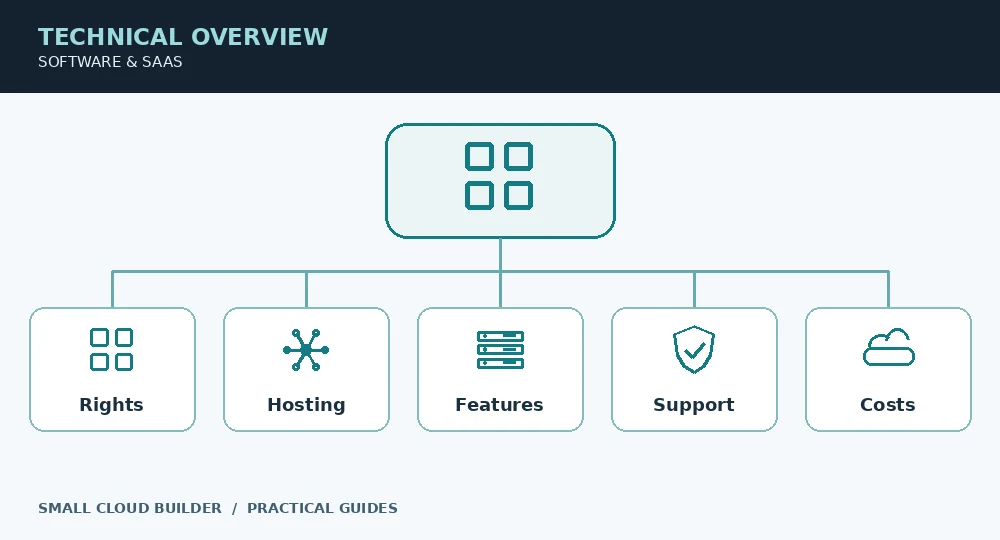
Rights
Review the applicable license and how it affects modification, distribution and hosted use.
A less obvious part of rights is the boundary between an individual task and the system around it. Read the applicable license for the intended internal use or distribution. Check the environment before and after the exercise, making sure unrelated records or settings have not changed. Record any dependencies required for success and distinguish permanent requirements from one-time setup work. A process that depends on a temporary test account, a particular device or an undocumented configuration may need additional work before it is ready for normal use. Leave room in the plan for that discovery rather than committing to a launch date on the strength of a first successful attempt.
Treat a successful result as evidence for the particular situation that was tested. Changes to the environment can alter that behavior. A lightweight regression check after important changes makes it easier to identify when a previously dependable assumption no longer holds.
Hosting
Self-hosting transfers deployment and maintenance responsibility to the organization or its contractor.
In the planning stage, avoid treating hosting as a feature checkbox. Install a maintained test instance and measure update responsibilities. This gives the team a real starting point for comparison. Note how much setup and administrative effort the task requires, and whether the result can be repeated without relying on special access unavailable to ordinary users. If the proposed system changes the way a person completes their work, try the new process from that role's perspective as well. The aim is to establish what is possible with the configuration you will actually operate, rather than what is possible in an ideal demonstration.
It is worth writing down any restriction discovered during the check, including one that does not affect the present workload. A future maintainer may not have the same assumptions about data size, supported devices or how often the procedure needs to run.
Features
Test representative tickets, permissions, reporting and integrations instead of assuming feature parity.
An implementation plan should state who owns features once the work is complete. Test the same support workflow in self-hosted and hosted options. Ask the person responsible for ongoing administration to take part in verifying the result, rather than handing them an unfamiliar setup at the end. They need to know where to find the relevant configuration, what a normal result looks like and what to do if it changes unexpectedly. Where two roles share responsibility, document the handoff. In a small organization, clear ownership and a repeatable check often prevent problems that an additional piece of software would merely make more difficult to investigate.
Record a failure before changing several settings at once. A clear observation made under known conditions makes troubleshooting much easier. With multiple simultaneous changes, it may become difficult to tell which action corrected the issue or whether it merely hid the symptom.
For another perspective on the same infrastructure or workflow decision, see Customer Relationship Management Software: Selection Guide. Compare the requirements it identifies with the constraints in your own environment.
Support
Determine who resolves outages, upgrades and compatibility issues under each model.
A self-hosted tool may offer a portable data format and control over maintenance, while a commercial plan may handle upgrades and monitoring. Neither choice eliminates configuration or employee training. Compare the cost of a realistic outage and restoration against both options rather than assuming a zero license fee is a zero operating cost.
The distinction becomes easier to see with an explicit acceptance test. Ask who will restore the service outside ordinary working hours. Decide in advance which outcome would be a success. A measurement that looks impressive on its own may be irrelevant if the original task remains difficult or unreliable. Track failures alongside the successful result; a capability that works only when a particular person is present may be less useful than a slightly slower process anyone on the team can follow. The final choice should reflect the actual working requirements around support, including what the team can reasonably support after the initial installation.
If the exercise requires temporary privileges or a special configuration, separate those from what the finished system actually needs. Remove temporary access when it is no longer required and document the configuration that the team expects to keep.
Costs
Account for infrastructure, administrator time, migrations and vendor subscriptions over the expected lifespan.
Separate the initial selection from the evidence that supports it. Compare annual fees with engineering, hosting and maintenance time. The test should be small enough that a mistake is reversible and sufficiently representative that the result can guide a decision. Record what direct observation establishes and what remains an assumption. For example, one successful run says little about unusual inputs or a much higher level of demand. Use the first observation to decide what another test ought to cover. As work moves from evaluation into routine operation, revisit the assumptions about costs rather than leaving them frozen in the original proposal.
Avoid building the rest of the project around an undocumented assumption. The useful output here is a small record of the actual behavior and any constraints that may affect the next decision. If another person cannot interpret that record, add the missing context while it is still easy to recover.
Putting the findings to work
Software advertised by a vendor is not necessarily the same as the configuration a business will use. Plan limits, administrator roles, supported integrations and export functions may differ. Test important workflows with representative but non-sensitive data before making the software central to the organization. Note who will own the subscription and how shared records survive changes in personnel.
For a short review before making the decision, return to the concrete checks from the guide:
- Read the applicable license for the intended internal use or distribution.
- Install a maintained test instance and measure update responsibilities.
- Test the same support workflow in self-hosted and hosted options.
- Ask who will restore the service outside ordinary working hours.
- Compare annual fees with engineering, hosting and maintenance time.
The useful distinction is operational responsibility and control, not free versus paid. Keep the key observations available to the people responsible for the system, with enough detail to revisit the decision when the workload, tools or business requirements change.
Related guide: Business Password Managers: Choosing and Deploying One. Plan shared credential management, access policies and account recovery.
Related guide: Understanding IaaS, PaaS and SaaS. Compare the layers you operate, delegate and pay for in common cloud delivery models.