SaaS Data Portability and Exit Planning
Evaluate exports, integrations and continuity before a subscription becomes critical.
A business depends on a hosted customer support application and wants to avoid an emergency migration later. Portability is a property that can be tested before a purchase, not just a promise in a feature list. Rather than starting with a long feature list, begin with the task itself. This makes it possible to compare alternatives against a real requirement and identify responsibilities before committing to a design.
Hosted software can change independently of the customer's release schedule. Updated interfaces, revised plans and integration changes may affect familiar processes. Keep documentation and data ownership arrangements current, and avoid putting irreplaceable record access behind a personal account. Evaluate an exit process during a pilot, when it is relatively straightforward to discover missing export capabilities.
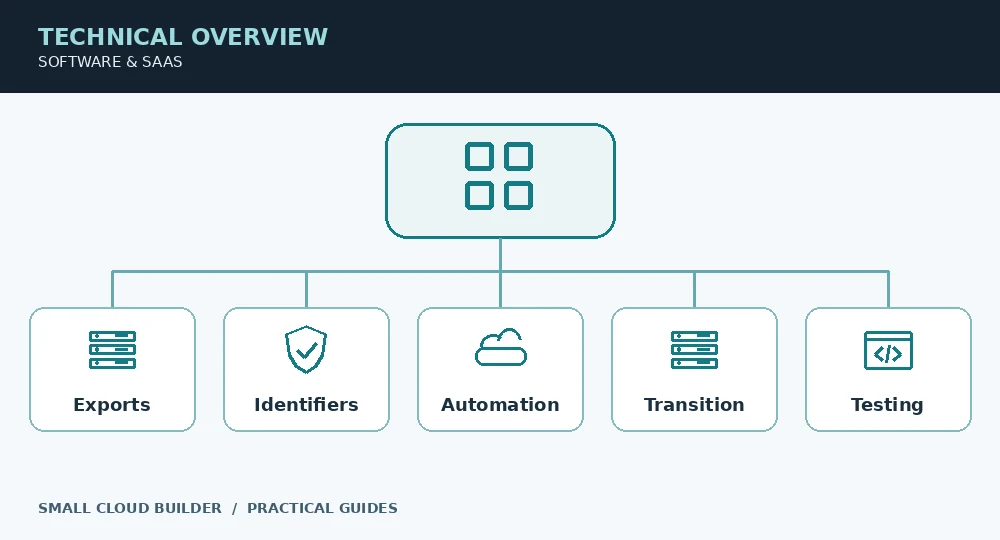
Exports
Check whether tickets, attachments, relationships and timestamps can be exported in reusable formats.
A demonstration can be misleading when it uses a perfectly prepared environment. The useful question is what happens during routine work. Export sample tickets with attachments and linked customer records. Use an ordinary sample, with enough variation to reveal common problems but without requiring live customer records. Where behavior differs between a new environment and the existing one, establish which difference matters to the business before making a choice. Keep a record of errors and unexpected constraints as well as successes. An inconclusive test is a reason to refine the experiment, not a reason to assume that exports has been solved.
When comparing choices, include the ordinary maintenance procedure as a requirement. If the team can only demonstrate a capability with extensive assistance, plan for that dependency rather than assuming the same results will be available without it.
Identifiers
Preserve stable IDs and mapping tables alongside data; readable spreadsheets may lose linked relationships.
Separate the initial selection from the evidence that supports it. Check whether IDs and original timestamps survive in the chosen format. The test should be small enough that a mistake is reversible and sufficiently representative that the result can guide a decision. Record what direct observation establishes and what remains an assumption. For example, one successful run says little about unusual inputs or a much higher level of demand. Use the first observation to decide what another test ought to cover. As work moves from evaluation into routine operation, revisit the assumptions about identifiers rather than leaving them frozen in the original proposal.
Avoid building the rest of the project around an undocumented assumption. The useful output here is a small record of the actual behavior and any constraints that may affect the next decision. If another person cannot interpret that record, add the missing context while it is still easy to recover.
Automation
Document workflows and API dependencies that would need rebuilding in another service.
Keep a distinction between normal operation and an unusual condition. Identify automation that will stop when the subscription ends. Observe the ordinary result first, then use a controlled test environment to examine a reasonable edge case. The purpose is to understand the limitations, not to create a problem for live users. If the result cannot be reproduced, inspect the starting state and any dependencies before drawing a conclusion. The practical understanding of automation should include both what happens when everything is working and how an operator can tell when the system has stopped meeting its intended requirement.
It is worth writing down any restriction discovered during the check, including one that does not affect the present workload. A future maintainer may not have the same assumptions about data size, supported devices or how often the procedure needs to run.
For another perspective on the same infrastructure or workflow decision, see How to Evaluate SaaS for a Small Business. Compare the requirements it identifies with the constraints in your own environment.
Transition
Estimate import effort, permission changes and the duration during which two tools may be needed.
A ticket spreadsheet may include a customer name but omit linked accounts, transferred ownership, message attachments or internal notes. Determine which fields are needed for the next system and reconcile records before ending the original subscription. A format that looks easy to read can still be incomplete for migration.
Separate the initial selection from the evidence that supports it. Import a small data sample into a test replacement. The test should be small enough that a mistake is reversible and sufficiently representative that the result can guide a decision. Record what direct observation establishes and what remains an assumption. For example, one successful run says little about unusual inputs or a much higher level of demand. Use the first observation to decide what another test ought to cover. As work moves from evaluation into routine operation, revisit the assumptions about transition rather than leaving them frozen in the original proposal.
If the exercise requires temporary privileges or a special configuration, separate those from what the finished system actually needs. Remove temporary access when it is no longer required and document the configuration that the team expects to keep.
Testing
Perform a small export and verify records can be interpreted outside the service without proprietary viewers.
The distinction becomes easier to see with an explicit acceptance test. Review which people require read access during the transition period. Decide in advance which outcome would be a success. A measurement that looks impressive on its own may be irrelevant if the original task remains difficult or unreliable. Track failures alongside the successful result; a capability that works only when a particular person is present may be less useful than a slightly slower process anyone on the team can follow. The final choice should reflect the actual working requirements around testing, including what the team can reasonably support after the initial installation.
The people who carry out routine work may notice different problems from the person who set up the system. Include their observations, particularly repeated manual steps or confusing states. These details can dominate the long-term effort even when the underlying technology performs well.
Putting the findings to work
Software advertised by a vendor is not necessarily the same as the configuration a business will use. Plan limits, administrator roles, supported integrations and export functions may differ. Test important workflows with representative but non-sensitive data before making the software central to the organization. Note who will own the subscription and how shared records survive changes in personnel.
For a short review before making the decision, return to the concrete checks from the guide:
- Export sample tickets with attachments and linked customer records.
- Check whether IDs and original timestamps survive in the chosen format.
- Identify automation that will stop when the subscription ends.
- Import a small data sample into a test replacement.
- Review which people require read access during the transition period.
Portability is a property that can be tested before a purchase, not just a promise in a feature list. Keep the key observations available to the people responsible for the system, with enough detail to revisit the decision when the workload, tools or business requirements change.
Related guide: Open Source Software vs Proprietary SaaS. Compare licensing, hosting responsibility and ongoing software administration.
Related guide: Understanding IaaS, PaaS and SaaS. Compare the layers you operate, delegate and pay for in common cloud delivery models.