Choosing a Frontend Framework
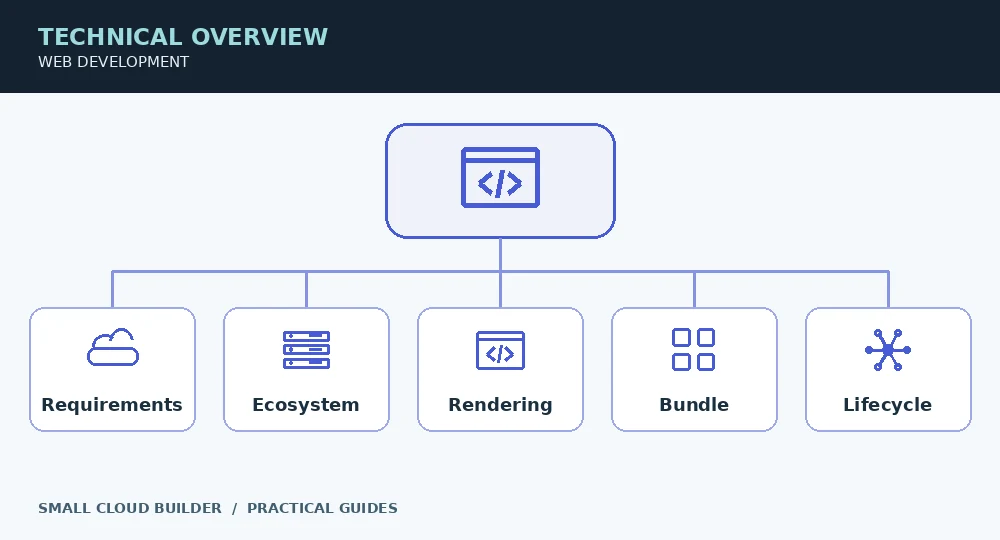
Compare project requirements, component complexity and maintenance burden.
A team wants to replace a collection of inconsistent interface scripts on its account dashboard. A framework earns its place when it reduces recurring work without making simple pages unnecessarily complex. This is a useful situation in which to make the technical requirements explicit before changing tools, because the choices affect day-to-day work as well as the initial setup.
A useful development release has a reproducible build and an environment in which changes can be checked before normal users receive them. Keep versioned source material and expected test cases, but avoid putting private configuration or data exports in public artifacts. When behavior changes, compare the deployed version with the source version and the relevant environment settings.
Requirements
List interactive screens, routing needs, shared state and accessibility considerations rather than starting with popularity.
Separate the initial selection from the evidence that supports it. Prototype one form-intensive screen rather than a trivial counter application. The test should be small enough that a mistake is reversible and sufficiently representative that the result can guide a decision. Record what direct observation establishes and what remains an assumption. For example, one successful run says little about unusual inputs or a much higher level of demand. Use the first observation to decide what another test ought to cover. As work moves from evaluation into routine operation, revisit the assumptions about requirements rather than leaving them frozen in the original proposal.
The people who carry out routine work may notice different problems from the person who set up the system. Include their observations, particularly repeated manual steps or confusing states. These details can dominate the long-term effort even when the underlying technology performs well.
Ecosystem
Review documentation, supported tooling, dependency health and skills already available to the team.
A demonstration can be misleading when it uses a perfectly prepared environment. The useful question is what happens during routine work. Compare how the candidate handles routing and shared validation. Use an ordinary sample, with enough variation to reveal common problems but without requiring live customer records. Where behavior differs between a new environment and the existing one, establish which difference matters to the business before making a choice. Keep a record of errors and unexpected constraints as well as successes. An inconclusive test is a reason to refine the experiment, not a reason to assume that ecosystem has been solved.
There is no need for a large spreadsheet if a short set of observations is sufficient. The purpose is to make the decision traceable, distinguish known limitations from speculation and preserve enough information to investigate a reported problem later.
Rendering
Consider server rendering, static output and client navigation; they lead to different deployment constraints.
A dashboard with a few collapsible filters does not necessarily need a complex client application. Conversely, many dependent editable views may benefit from a component model and shared state conventions. Prototyping the most difficult interaction reveals more than benchmarking a single empty page from competing starters.
A less obvious part of rendering is the boundary between an individual task and the system around it. Estimate upgrades of dependencies over the first year. Check the environment before and after the exercise, making sure unrelated records or settings have not changed. Record any dependencies required for success and distinguish permanent requirements from one-time setup work. A process that depends on a temporary test account, a particular device or an undocumented configuration may need additional work before it is ready for normal use. Leave room in the plan for that discovery rather than committing to a launch date on the strength of a first successful attempt.
Record a failure before changing several settings at once. A clear observation made under known conditions makes troubleshooting much easier. With multiple simultaneous changes, it may become difficult to tell which action corrected the issue or whether it merely hid the symptom.
For another perspective on the same infrastructure or workflow decision, see REST APIs: Designing Predictable Interfaces. Compare the requirements it identifies with the constraints in your own environment.
Bundle
Prototype a representative view and measure JavaScript transfer, execution and loading behavior.
An implementation plan should state who owns bundle once the work is complete. Inspect the actual JavaScript transferred for a representative view. Ask the person responsible for ongoing administration to take part in verifying the result, rather than handing them an unfamiliar setup at the end. They need to know where to find the relevant configuration, what a normal result looks like and what to do if it changes unexpectedly. Where two roles share responsibility, document the handoff. In a small organization, clear ownership and a repeatable check often prevent problems that an additional piece of software would merely make more difficult to investigate.
Treat a successful result as evidence for the particular situation that was tested. Changes to the environment can alter that behavior. A lightweight regression check after important changes makes it easier to identify when a previously dependable assumption no longer holds.
Lifecycle
Document upgrade strategy, automated tests and ownership of custom components.
Keep a distinction between normal operation and an unusual condition. Ask another team member to modify and test a component independently. Observe the ordinary result first, then use a controlled test environment to examine a reasonable edge case. The purpose is to understand the limitations, not to create a problem for live users. If the result cannot be reproduced, inspect the starting state and any dependencies before drawing a conclusion. The practical understanding of lifecycle should include both what happens when everything is working and how an operator can tell when the system has stopped meeting its intended requirement.
When comparing choices, include the ordinary maintenance procedure as a requirement. If the team can only demonstrate a capability with extensive assistance, plan for that dependency rather than assuming the same results will be available without it.
The browser receives a document, associated resources and, depending on the application, executable client-side code. Server behavior and client behavior should be checked independently. A site can return valid HTML but be hard to navigate, or have an attractive interface that fails when the network is interrupted. Testing the actual interactions people need is more revealing than treating a visual match as sufficient.
Putting the findings to work
Accessibility and maintainability intersect in small details. Native elements provide well-understood behavior for navigation and controls; meaningful labels also improve automated checks and make code easier to review. A custom interface may be appropriate for complex interaction, but it should have explicit keyboard and focus behavior and remain understandable at larger text sizes.
For a short review before making the decision, return to the concrete checks from the guide:
- Prototype one form-intensive screen rather than a trivial counter application.
- Compare how the candidate handles routing and shared validation.
- Estimate upgrades of dependencies over the first year.
- Inspect the actual JavaScript transferred for a representative view.
- Ask another team member to modify and test a component independently.
A framework earns its place when it reduces recurring work without making simple pages unnecessarily complex. Keep the key observations available to the people responsible for the system, with enough detail to revisit the decision when the workload, tools or business requirements change.
Related guide: How to Use Git for Website Releases. Organize changes, review branches and keep rollback history for a website.
Related guide: Choosing a Managed Cloud Database. Compare operational boundaries, durability, scaling and query behavior before selecting a database service.