Database Design for Small Web Applications
Design records, constraints and indexes around real application workflows.
A reservation application records customers, appointments, service types and cancellations. A simple normalized model often solves problems that complex application code would otherwise need to manage. This is a useful situation in which to make the technical requirements explicit before changing tools, because the choices affect day-to-day work as well as the initial setup.
Accessibility and maintainability intersect in small details. Native elements provide well-understood behavior for navigation and controls; meaningful labels also improve automated checks and make code easier to review. A custom interface may be appropriate for complex interaction, but it should have explicit keyboard and focus behavior and remain understandable at larger text sizes.
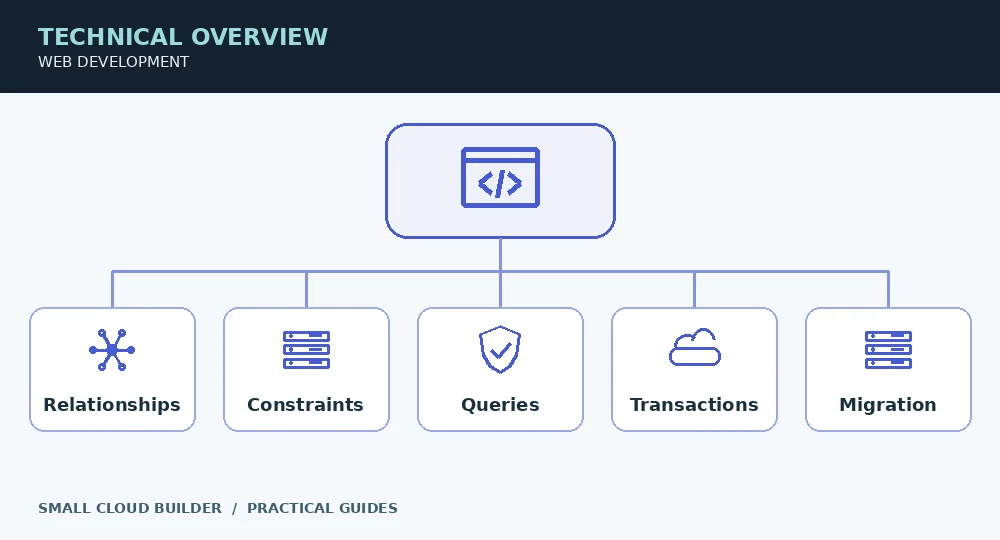
Relationships
Represent entities and relationships clearly; use foreign keys where the database supports them.
For relationships, a useful comparison is one that a colleague can independently reproduce. Draw relationships among a customer, a reservation and a service type. Describe the relevant starting conditions and save the result using consistent terminology. Avoid comparing a first-time setup in one system with an already optimized setup in another unless the difference is explicitly part of the evaluation. Make note of the effort required to reach a usable state as well as the eventual result. In a business environment, the time required to repeat a configuration, recover access or diagnose a problem is a real constraint, even when it is not reflected in a product specification.
The people who carry out routine work may notice different problems from the person who set up the system. Include their observations, particularly repeated manual steps or confusing states. These details can dominate the long-term effort even when the underlying technology performs well.
Constraints
Enforce uniqueness and required values at the data layer instead of relying solely on form validation.
Start with what is already observable. Try invalid input in a test environment and check the constraint response. Write down the result alongside the original expectation. A useful comparison keeps the workload and the surrounding conditions stable; differences in sample size, connection quality or a change made elsewhere in the system can otherwise distort the conclusion. The value of this check is not that it proves the entire design. It exposes whether the assumption about constraints holds under a recognizable working condition, and whether somebody has enough information to repeat the observation later without reconstructing the whole experiment from memory.
Before extending the setup, identify the part that is hardest to reverse. A limited pilot lets the team address problems in that part without affecting unrelated work. Keep the dependable existing process available until the replacement has passed the checks that matter.
Queries
Design indexes around common filters, joins and sorting patterns; measure write overhead.
In the planning stage, avoid treating queries as a feature checkbox. Compare query timing before and after a representative index with sufficient rows. This gives the team a real starting point for comparison. Note how much setup and administrative effort the task requires, and whether the result can be repeated without relying on special access unavailable to ordinary users. If the proposed system changes the way a person completes their work, try the new process from that role's perspective as well. The aim is to establish what is possible with the configuration you will actually operate, rather than what is possible in an ideal demonstration.
If the exercise requires temporary privileges or a special configuration, separate those from what the finished system actually needs. Remove temporary access when it is no longer required and document the configuration that the team expects to keep.
For another perspective on the same infrastructure or workflow decision, see How to Migrate an iPhone App to Android. Compare the requirements it identifies with the constraints in your own environment.
Transactions
Group related updates atomically when partial completion would leave incorrect business state.
An appointment table that stores the service name, duration and price as free text repeatedly may become inconsistent. Separate stable service definitions from booked values when the business needs historical pricing; an appointment can retain the agreed price while referencing the service. This makes historical reporting less ambiguous.
A written requirement is most valuable when it can be tested without guessing what the author meant. Cancel an appointment and verify dependent changes occur coherently. Establish a meaningful threshold for the result, whether that is correctness, usable response time, preservation of records or successful access by the intended person. Do not silently revise the threshold after seeing a disappointing outcome; instead, decide whether the business requirement itself has changed. Even a modest record of test results helps a small team make later decisions about transactions without relying on a recollection of which option looked most convincing during the initial evaluation.
It is worth writing down any restriction discovered during the check, including one that does not affect the present workload. A future maintainer may not have the same assumptions about data size, supported devices or how often the procedure needs to run.
Migration
Use versioned schema changes, test against representative data and rehearse recovery.
Keep a distinction between normal operation and an unusual condition. Upgrade a sample copy of the database with a versioned schema migration. Observe the ordinary result first, then use a controlled test environment to examine a reasonable edge case. The purpose is to understand the limitations, not to create a problem for live users. If the result cannot be reproduced, inspect the starting state and any dependencies before drawing a conclusion. The practical understanding of migration should include both what happens when everything is working and how an operator can tell when the system has stopped meeting its intended requirement.
The cost of an incorrect assumption increases as more people or records depend on it. Resolve uncertainty while the configuration is still small. A precise limitation is more useful than a general assurance that the system should probably work in a larger environment.
Putting the findings to work
The browser receives a document, associated resources and, depending on the application, executable client-side code. Server behavior and client behavior should be checked independently. A site can return valid HTML but be hard to navigate, or have an attractive interface that fails when the network is interrupted. Testing the actual interactions people need is more revealing than treating a visual match as sufficient.
For a short review before making the decision, return to the concrete checks from the guide:
- Draw relationships among a customer, a reservation and a service type.
- Try invalid input in a test environment and check the constraint response.
- Compare query timing before and after a representative index with sufficient rows.
- Cancel an appointment and verify dependent changes occur coherently.
- Upgrade a sample copy of the database with a versioned schema migration.
A simple normalized model often solves problems that complex application code would otherwise need to manage. Keep the key observations available to the people responsible for the system, with enough detail to revisit the decision when the workload, tools or business requirements change.
Related guide: Designing a Useful Technical Documentation Site. Organize guides, references and troubleshooting material around reader goals.
Related guide: Website Backups: What to Save and How to Restore. Create backups that cover content, database records, settings and recovery requirements.