How to Migrate an iPhone App to Android
Revisit the early mobile-porting challenge and plan a modern cross-platform migration.
An organization has an established iOS app and wants a comparable Android experience without copying every screen literally. The early challenge of crossing mobile ecosystems still applies: preserve user goals while respecting the destination platform. The details matter more than product labels. The challenge is to understand which parts of the system the business depends on, where the limits are and how to check the proposed approach under realistic conditions.
The browser receives a document, associated resources and, depending on the application, executable client-side code. Server behavior and client behavior should be checked independently. A site can return valid HTML but be hard to navigate, or have an attractive interface that fails when the network is interrupted. Testing the actual interactions people need is more revealing than treating a visual match as sufficient.
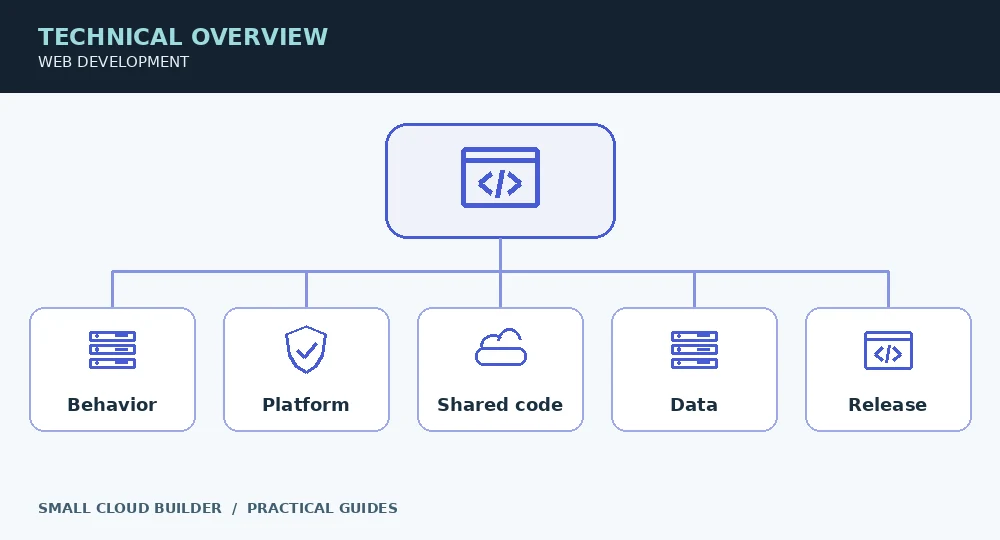
Behavior
List features, workflows and acceptance tests independently of platform-specific APIs or interface conventions.
A demonstration can be misleading when it uses a perfectly prepared environment. The useful question is what happens during routine work. Compare the two platforms' expected behavior when an app resumes from the background. Use an ordinary sample, with enough variation to reveal common problems but without requiring live customer records. Where behavior differs between a new environment and the existing one, establish which difference matters to the business before making a choice. Keep a record of errors and unexpected constraints as well as successes. An inconclusive test is a reason to refine the experiment, not a reason to assume that behavior has been solved.
When comparing choices, include the ordinary maintenance procedure as a requirement. If the team can only demonstrate a capability with extensive assistance, plan for that dependency rather than assuming the same results will be available without it.
Platform
Android and iOS use different application lifecycles, permissions, navigation behavior and build systems.
The early iPhone-to-Android transition was partly an API and tooling problem. Today the same product still needs platform-specific review: permissions, background execution, notifications and navigation conventions may differ. Reuse a product specification and acceptance tests across platforms so the Android version matches user needs, not merely the visual shape of iOS.
The distinction becomes easier to see with an explicit acceptance test. Test one representative media or camera feature on both systems. Decide in advance which outcome would be a success. A measurement that looks impressive on its own may be irrelevant if the original task remains difficult or unreliable. Track failures alongside the successful result; a capability that works only when a particular person is present may be less useful than a slightly slower process anyone on the team can follow. The final choice should reflect the actual working requirements around platform, including what the team can reasonably support after the initial installation.
Record a failure before changing several settings at once. A clear observation made under known conditions makes troubleshooting much easier. With multiple simultaneous changes, it may become difficult to tell which action corrected the issue or whether it merely hid the symptom.
Shared code
Reuse business rules and network contracts where practical; select native or cross-platform tooling only after a representative prototype.
Separate the initial selection from the evidence that supports it. Identify business validation that can be shared without copying native UI behavior. The test should be small enough that a mistake is reversible and sufficiently representative that the result can guide a decision. Record what direct observation establishes and what remains an assumption. For example, one successful run says little about unusual inputs or a much higher level of demand. Use the first observation to decide what another test ought to cover. As work moves from evaluation into routine operation, revisit the assumptions about shared code rather than leaving them frozen in the original proposal.
Treat a successful result as evidence for the particular situation that was tested. Changes to the environment can alter that behavior. A lightweight regression check after important changes makes it easier to identify when a previously dependable assumption no longer holds.
For another perspective on the same infrastructure or workflow decision, see Progressive Web Apps and Offline Interfaces. Compare the requirements it identifies with the constraints in your own environment.
Data
Preserve account identifiers and synchronized records; test offline behavior, permissions and media access on both platforms.
There is a straightforward way to turn data into a decision instead of an argument about features. Verify a user account and synced records survive a normal update. Keep the result in a short working note: the starting conditions, what was changed, what actually happened and the outcome that would be acceptable in production. If the result is different from the expected behavior, isolate the cause before adding another component. This is particularly important for a small team, where the person implementing a solution is often also the person who will have to maintain it and explain a failure to colleagues.
If the exercise requires temporary privileges or a special configuration, separate those from what the finished system actually needs. Remove temporary access when it is no longer required and document the configuration that the team expects to keep.
Release
Test representative devices, store requirements and update paths, especially where old application versions still connect to the server.
A less obvious part of release is the boundary between an individual task and the system around it. Run acceptance tests with different screen sizes and permission choices. Check the environment before and after the exercise, making sure unrelated records or settings have not changed. Record any dependencies required for success and distinguish permanent requirements from one-time setup work. A process that depends on a temporary test account, a particular device or an undocumented configuration may need additional work before it is ready for normal use. Leave room in the plan for that discovery rather than committing to a launch date on the strength of a first successful attempt.
The people who carry out routine work may notice different problems from the person who set up the system. Include their observations, particularly repeated manual steps or confusing states. These details can dominate the long-term effort even when the underlying technology performs well.
Putting the findings to work
A useful development release has a reproducible build and an environment in which changes can be checked before normal users receive them. Keep versioned source material and expected test cases, but avoid putting private configuration or data exports in public artifacts. When behavior changes, compare the deployed version with the source version and the relevant environment settings.
For a short review before making the decision, return to the concrete checks from the guide:
- Compare the two platforms' expected behavior when an app resumes from the background.
- Test one representative media or camera feature on both systems.
- Identify business validation that can be shared without copying native UI behavior.
- Verify a user account and synced records survive a normal update.
- Run acceptance tests with different screen sizes and permission choices.
The early challenge of crossing mobile ecosystems still applies: preserve user goals while respecting the destination platform. Keep the key observations available to the people responsible for the system, with enough detail to revisit the decision when the workload, tools or business requirements change.
Related guide: Static Sites vs Dynamic Websites. Compare rendering models, content management and operational requirements.
Related guide: How to Move a Website Without Losing URLs. Plan a hosting or platform migration while preserving public addresses.