How to Move a Website Without Losing URLs
Plan a hosting or platform migration while preserving public addresses.
A longstanding company website is switching from a database CMS to static pages, with links from older publications. A migration is a continuity task: keep useful destinations accessible and avoid moving every old URL to the homepage. The details matter more than product labels. The challenge is to understand which parts of the system the business depends on, where the limits are and how to check the proposed approach under realistic conditions.
Website files and application state are different. Static files can usually be deployed together and rolled back as one release, whereas a live database or order history may keep changing after a deployment. A rollback plan must take those differences into account. Do not assume restoring an older application version can also restore a newer database state safely.
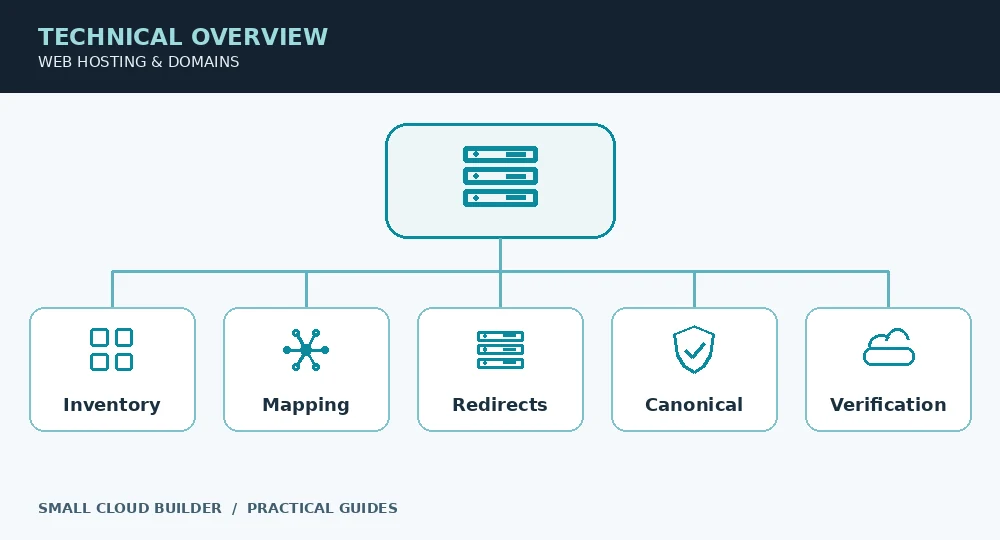
Inventory
Export existing URLs, status codes, metadata and internal references before building the replacement.
Start with what is already observable. List high-value old articles with their closest replacement pages. Write down the result alongside the original expectation. A useful comparison keeps the workload and the surrounding conditions stable; differences in sample size, connection quality or a change made elsewhere in the system can otherwise distort the conclusion. The value of this check is not that it proves the entire design. It exposes whether the assumption about inventory holds under a recognizable working condition, and whether somebody has enough information to repeat the observation later without reconstructing the whole experiment from memory.
Record a failure before changing several settings at once. A clear observation made under known conditions makes troubleshooting much easier. With multiple simultaneous changes, it may become difficult to tell which action corrected the issue or whether it merely hid the symptom.
Mapping
Create a one-to-one map for pages with equivalent intent. Return a clear not-found status for genuinely removed content.
There is a straightforward way to turn mapping into a decision instead of an argument about features. Check the destination of each mapped address rather than simply checking for a 301. Keep the result in a short working note: the starting conditions, what was changed, what actually happened and the outcome that would be acceptable in production. If the result is different from the expected behavior, isolate the cause before adding another component. This is particularly important for a small team, where the person implementing a solution is often also the person who will have to maintain it and explain a failure to colleagues.
Avoid building the rest of the project around an undocumented assumption. The useful output here is a small record of the actual behavior and any constraints that may affect the next decision. If another person cannot interpret that record, add the missing context while it is still easy to recover.
Redirects
Use permanent server-level redirects where the move is permanent and avoid unnecessary redirect chains.
A written requirement is most valuable when it can be tested without guessing what the author meant. Verify that an unmapped path returns an actual 404. Establish a meaningful threshold for the result, whether that is correctness, usable response time, preservation of records or successful access by the intended person. Do not silently revise the threshold after seeing a disappointing outcome; instead, decide whether the business requirement itself has changed. Even a modest record of test results helps a small team make later decisions about redirects without relying on a recollection of which option looked most convincing during the initial evaluation.
If the exercise requires temporary privileges or a special configuration, separate those from what the finished system actually needs. Remove temporary access when it is no longer required and document the configuration that the team expects to keep.
For another perspective on the same infrastructure or workflow decision, see WordPress Hosting: Managed or Self-Managed?. Compare the requirements it identifies with the constraints in your own environment.
Canonical
Align navigation, sitemap entries, canonical tags and HTTPS hostname to the destination URLs.
Suppose an article moves from an old numbered path to a descriptive category path. The original should lead directly to the equivalent page. A second redirect to another hostname and a third to a slash-normalized path add needless steps. Include both canonical destination and internal link updates in the migration plan.
A demonstration can be misleading when it uses a perfectly prepared environment. The useful question is what happens during routine work. Scan internal navigation and sitemaps for leftover source addresses. Use an ordinary sample, with enough variation to reveal common problems but without requiring live customer records. Where behavior differs between a new environment and the existing one, establish which difference matters to the business before making a choice. Keep a record of errors and unexpected constraints as well as successes. An inconclusive test is a reason to refine the experiment, not a reason to assume that canonical has been solved.
It is worth writing down any restriction discovered during the check, including one that does not affect the present workload. A future maintainer may not have the same assumptions about data size, supported devices or how often the procedure needs to run.
Verification
Crawl a release candidate and test key inbound URLs, including query strings and trailing-slash variants.
A less obvious part of verification is the boundary between an individual task and the system around it. Record the relevant before-and-after status and canonical values for a sample. Check the environment before and after the exercise, making sure unrelated records or settings have not changed. Record any dependencies required for success and distinguish permanent requirements from one-time setup work. A process that depends on a temporary test account, a particular device or an undocumented configuration may need additional work before it is ready for normal use. Leave room in the plan for that discovery rather than committing to a launch date on the strength of a first successful attempt.
Treat a successful result as evidence for the particular situation that was tested. Changes to the environment can alter that behavior. A lightweight regression check after important changes makes it easier to identify when a previously dependable assumption no longer holds.
Putting the findings to work
A visitor reaching a website depends on several systems in sequence: domain registration, DNS resolution, encrypted connection establishment, HTTP handling and the returned document. Performance and availability problems can arise at any of those stages. Check each relevant stage independently instead of treating the hosting control panel as a complete picture of the public site. Save the current public hostname and expected behavior before making a change.
For a short review before making the decision, return to the concrete checks from the guide:
- List high-value old articles with their closest replacement pages.
- Check the destination of each mapped address rather than simply checking for a 301.
- Verify that an unmapped path returns an actual 404.
- Scan internal navigation and sitemaps for leftover source addresses.
- Record the relevant before-and-after status and canonical values for a sample.
A migration is a continuity task: keep useful destinations accessible and avoid moving every old URL to the homepage. Keep the key observations available to the people responsible for the system, with enough detail to revisit the decision when the workload, tools or business requirements change.
Related guide: Website Backups: What to Save and How to Restore. Create backups that cover content, database records, settings and recovery requirements.
Related guide: How to Migrate an iPhone App to Android. Revisit the early mobile-porting challenge and plan a modern cross-platform migration.