WordPress Hosting: Managed or Self-Managed?
Compare who handles updates, backups, caching and incident response.
A four-person marketing department publishes articles without an in-house system administrator. Choose management based on operational capacity, not merely on the advertised CPU or storage figures. The following guide treats the problem as a working decision: what needs to happen, what the technology actually provides, and which observations can support a choice.
A visitor reaching a website depends on several systems in sequence: domain registration, DNS resolution, encrypted connection establishment, HTTP handling and the returned document. Performance and availability problems can arise at any of those stages. Check each relevant stage independently instead of treating the hosting control panel as a complete picture of the public site. Save the current public hostname and expected behavior before making a change.
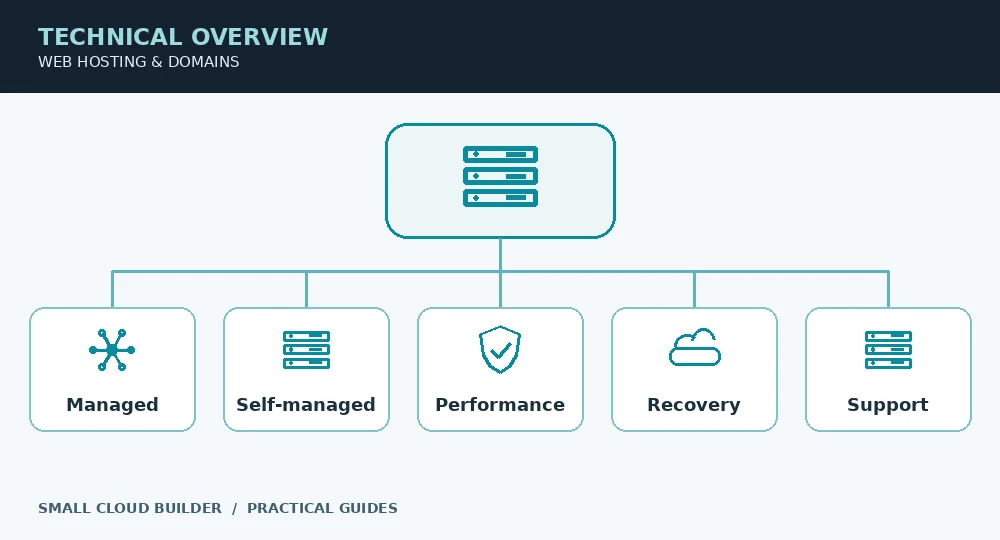
Managed
Review whether the host handles core updates, staging, malware cleanup and backups; plugin policies vary.
For managed, a useful comparison is one that a colleague can independently reproduce. Test an article edit, a plugin update and a complete restoration in staging. Describe the relevant starting conditions and save the result using consistent terminology. Avoid comparing a first-time setup in one system with an already optimized setup in another unless the difference is explicitly part of the evaluation. Make note of the effort required to reach a usable state as well as the eventual result. In a business environment, the time required to repeat a configuration, recover access or diagnose a problem is a real constraint, even when it is not reflected in a product specification.
If the exercise requires temporary privileges or a special configuration, separate those from what the finished system actually needs. Remove temporary access when it is no longer required and document the configuration that the team expects to keep.
Self-managed
Administrators choose versions and configuration but must maintain the stack and investigate issues.
A managed plan might automatically back up a site each night yet exclude custom plugins from technical support. A self-managed host may offer excellent virtual machines but no assistance with repairing an application. Those distinctions become important when a failed update requires both files and a matching database to be restored.
Start with what is already observable. Compare the host's policy for supported software with the plugins the site requires. Write down the result alongside the original expectation. A useful comparison keeps the workload and the surrounding conditions stable; differences in sample size, connection quality or a change made elsewhere in the system can otherwise distort the conclusion. The value of this check is not that it proves the entire design. It exposes whether the assumption about self-managed holds under a recognizable working condition, and whether somebody has enough information to repeat the observation later without reconstructing the whole experiment from memory.
The people who carry out routine work may notice different problems from the person who set up the system. Include their observations, particularly repeated manual steps or confusing states. These details can dominate the long-term effort even when the underlying technology performs well.
Performance
Test cache behavior and uncached editorial actions separately; large plugins can add expensive database requests.
A less obvious part of performance is the boundary between an individual task and the system around it. Inspect the time needed to open an uncached administration view. Check the environment before and after the exercise, making sure unrelated records or settings have not changed. Record any dependencies required for success and distinguish permanent requirements from one-time setup work. A process that depends on a temporary test account, a particular device or an undocumented configuration may need additional work before it is ready for normal use. Leave room in the plan for that discovery rather than committing to a launch date on the strength of a first successful attempt.
Treat a successful result as evidence for the particular situation that was tested. Changes to the environment can alter that behavior. A lightweight regression check after important changes makes it easier to identify when a previously dependable assumption no longer holds.
For another perspective on the same infrastructure or workflow decision, see Choosing a Domain Name for a Business Website. Compare the requirements it identifies with the constraints in your own environment.
Recovery
Confirm backup frequency and test restoration of files plus database, not just a fresh installation.
The distinction becomes easier to see with an explicit acceptance test. Ask who owns incidents that originate in a custom theme. Decide in advance which outcome would be a success. A measurement that looks impressive on its own may be irrelevant if the original task remains difficult or unreliable. Track failures alongside the successful result; a capability that works only when a particular person is present may be less useful than a slightly slower process anyone on the team can follow. The final choice should reflect the actual working requirements around recovery, including what the team can reasonably support after the initial installation.
The cost of an incorrect assumption increases as more people or records depend on it. Resolve uncertainty while the configuration is still small. A precise limitation is more useful than a general assurance that the system should probably work in a larger environment.
Support
Clarify whether application configuration and third-party plugin conflicts are within scope.
Separate the initial selection from the evidence that supports it. Verify an export containing database records and uploaded images together. The test should be small enough that a mistake is reversible and sufficiently representative that the result can guide a decision. Record what direct observation establishes and what remains an assumption. For example, one successful run says little about unusual inputs or a much higher level of demand. Use the first observation to decide what another test ought to cover. As work moves from evaluation into routine operation, revisit the assumptions about support rather than leaving them frozen in the original proposal.
Record a failure before changing several settings at once. A clear observation made under known conditions makes troubleshooting much easier. With multiple simultaneous changes, it may become difficult to tell which action corrected the issue or whether it merely hid the symptom.
Putting the findings to work
Public pages are accessed by people, browsers, search systems and links from other websites. Stable addresses matter because those consumers do not all update immediately when a new version is deployed. Keep internal links consistent, preserve appropriate destinations for changed addresses and verify real response codes. A page that looks correct in one browser does not demonstrate that the old and new public paths work correctly.
For a short review before making the decision, return to the concrete checks from the guide:
- Test an article edit, a plugin update and a complete restoration in staging.
- Compare the host's policy for supported software with the plugins the site requires.
- Inspect the time needed to open an uncached administration view.
- Ask who owns incidents that originate in a custom theme.
- Verify an export containing database records and uploaded images together.
Choose management based on operational capacity, not merely on the advertised CPU or storage figures. Keep the key observations available to the people responsible for the system, with enough detail to revisit the decision when the workload, tools or business requirements change.
Related guide: How to Diagnose a Slow Website. Separate browser delays, network latency and server processing using repeatable measurements.
Related guide: Choosing a Managed Cloud Database. Compare operational boundaries, durability, scaling and query behavior before selecting a database service.